
目次
はじめに
独自のショートコードを使用して、カテゴリーを利用した絞り込み検索フォームを表示します。
この記事では、この方法について説明します。
ドロップダウン形式で絞り込み検索する方法
ドロップダウンメニューに全てのカテゴリーを表示し、キーワードを入力すると関連するカテゴリーを簡単に絞り込めます。
完成イメージ
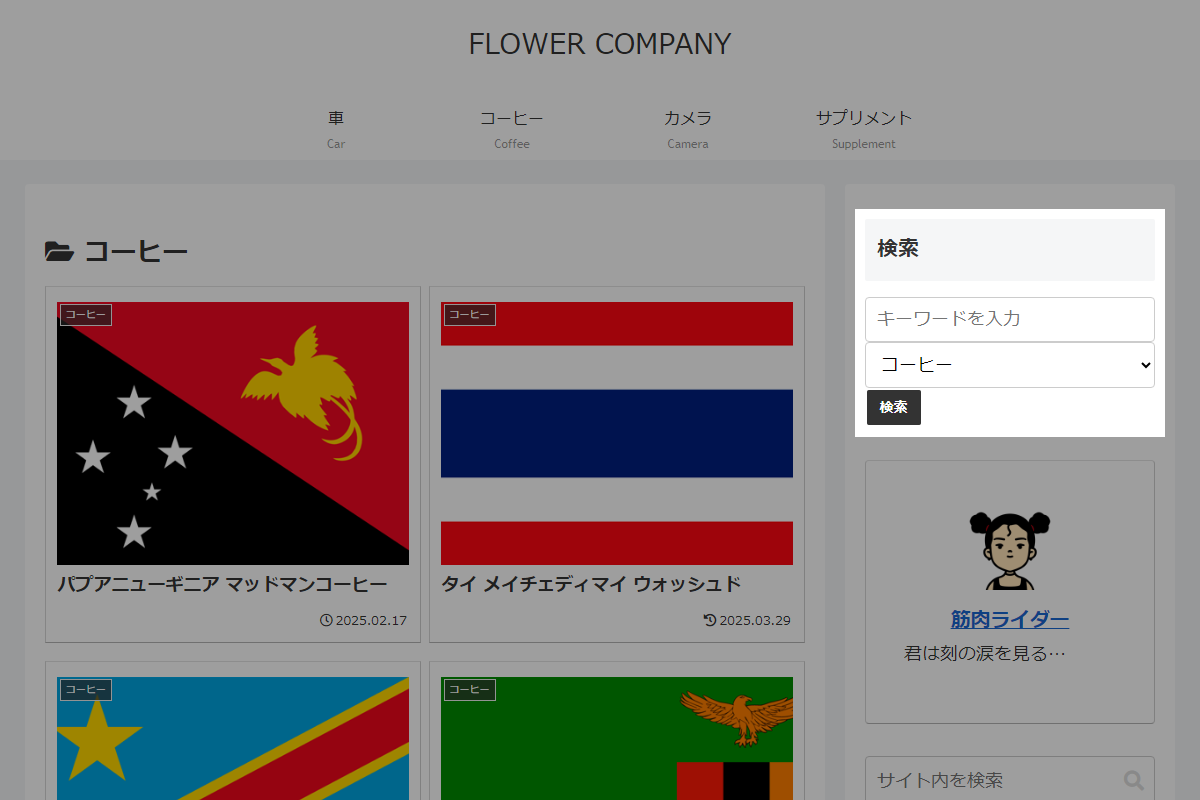
使用方法
以下にショートコードを示します。
[my_category_dropdown]実装手順
以下のコードをfunctions.phpに追加します。
add_shortcode('my_category_dropdown', function () {
  ob_start();
  ?>
  <form class="category-dropdown" method="get" action="<?= esc_url(home_url()); ?>">
    <input type="text" name="s" class="category-dropdown__keyword" placeholder="キーワードを入力" value="<?= esc_attr(get_search_query()); ?>">

    <?php
    wp_dropdown_categories([
      'class'           => 'category-dropdown__select',
      'depth'           => 0,
      'hide_empty'      => 1,
      'hierarchical'    => true,
      'orderby'         => 'name',
      'show_option_all' => 'カテゴリー選択',
    ]);
    ?>

    <button type="submit" class="btn btn-black">検索</button>
  </form>
  <?php
  return ob_get_clean();
});
チェックボックス形式で絞り込み検索する方法
複数のカテゴリーをチェックボックスで選択できる形式です。
キーワード検索と組み合わせることで、より柔軟に投稿を絞り込めます。
完成イメージ
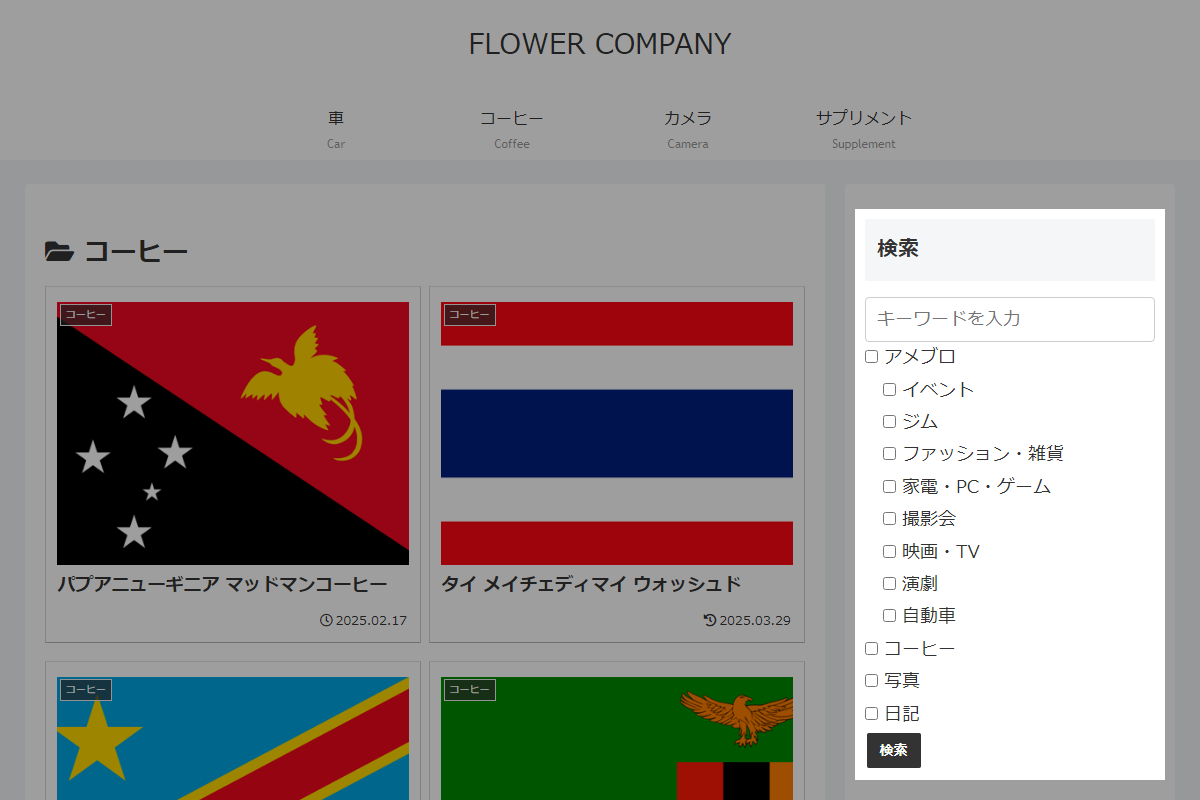
使用方法
以下にショートコードを示します。
[my_category_checkbox]実装手順
以下のコードをfunctions.phpに追加します。
add_shortcode('my_category_checkbox', function () {
  // 全カテゴリーを取得
  $categories = get_categories([
    'hide_empty'   => 0,
    'orderby'      => 'name',
    'order'        => 'ASC',
    'hierarchical' => true,
  ]);

  if (empty($categories)) {
    return '<p>カテゴリーが見つかりません。</p>';
  }

  // 現在選択中のカテゴリを取得
  $selected_categories = isset($_GET['cat']) ? (array) $_GET['cat'] : [];

  ob_start();

  /**
   * カテゴリーの階層構造を再帰的に展開してチェックボックスとして出力
   *
   * @param array $categories 階層化されたカテゴリー配列
   * @param array $selected_categories 選択中のカテゴリーIDの配列
   * @param int $parent_id 親カテゴリーのID
   * @param int $depth 階層の深さ
   * @return void
   */
  $display_category_hierarchy = function ($categories, $selected_categories = [], $parent_id = 0, $depth = 0) use (&$display_category_hierarchy) {
    foreach ($categories as $category) {
      if ($category->parent != $parent_id) {
        continue;
      }

      $checked = in_array((string) $category->term_id, $selected_categories, true) ? 'checked' : '';
      ?>
      <label class="category-checkbox__label" style="display: block; padding-left: <?= esc_attr($depth); ?>em;">
        <input type="checkbox" name="cat[]" value="<?= esc_attr($category->term_id); ?>" class="category-checkbox__input" <?= $checked; ?>> <?= esc_html($category->name); ?>
      </label>
      <?php

      // 子カテゴリーを再帰的に展開
      $display_category_hierarchy($categories, $selected_categories, $category->term_id, $depth + 1);
    }
  };

  ?>
  <form class="category-checkbox" method="get" action="<?= esc_url(home_url('/')); ?>">
    <!-- 検索キーワード入力欄 -->
    <input type="text" name="s" class="category-checkbox__keyword" placeholder="キーワードを入力" value="<?= esc_attr(get_search_query()); ?>">

    <!-- カテゴリーチェックボックス -->
    <div class="category-checkbox__list">
      <?php $display_category_hierarchy($categories, $selected_categories); ?>
    </div>

    <!-- 送信ボタン -->
    <button type="submit" class="btn btn-black">検索</button>
  </form>
  <?php

  return ob_get_clean();
});
参考:Cocoon関数を使って実装する場合
Cocoonの関数を活用することで、カテゴリーを階層構造でチェックボックスとして表示できます。
以下の手順で実装します。
- ラベルPHPを追加
以下のコードをfunctions.phpに追加します。
add_shortcode('my_category_checkbox', function () { $selected_categories = isset($_GET['cat']) ? array_map('intval', (array) $_GET['cat']) : []; ob_start(); ?> <form class="category-checkbox" method="get" action="<?= esc_url(home_url('/')); ?>"> <!-- 検索キーワード入力欄 --> <input type="text" name="s" class="category-checkbox__keyword" placeholder="キーワードを入力" value="<?= esc_attr(get_search_query()); ?>"> <!-- カテゴリーチェックボックス --> <div class="category-checkbox__list"> <?php // 親IDから階層チェックリストを生成 generate_hierarchical_category_check_list(0, 'cat', $selected_categories, 300); ?> </div> <!-- 送信ボタン --> <button type="submit" class="btn btn-black">検索</button> </form> <?php return ob_get_clean(); }); - ラベルCSSを追加
以下のコードをstyle.cssに追加します。
.category-check-list-root {
  list-style: none;
  padding-left: 0;
}

.category-check-list-root ul {
  list-style: none;
  padding-left: 1em;
}

.category-check-list-root > li > ul {
  padding-left: 0;
}

.category-check-list input[type="checkbox"] {
  margin-right: 0.5em;
}

.category-check-list label {
  cursor: pointer;
}
さいごに
今回紹介した方法を使えば、カテゴリーを使った絞り込み検索フォームを簡単に実装できます。
ユーザーは目的のカテゴリーを選択しながら投稿を検索できるため、サイトのアクセス性や利便性を高めることが可能です。
フォームのデザインや機能はサイトに合わせてカスタマイズすることもできます。

