
目次
応用:タイプライター風のセリフアニメーション1
応用として「吹き出し」ブロックにアニメーション効果を追加します。
完成イメージ
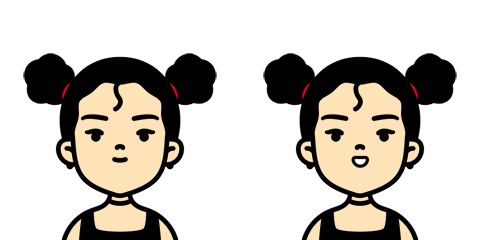
「吹き出し」ブロックが画面内に入ると、セリフがタイプライターのように1文字ずつ表示されます。
セリフ中のHTMLタグは削除されるため、セリフを改行する場合は「段落」ブロックをご利用ください。
実装手順
以下の手順で実装します。
- ラベルJavaScriptを追加(画面監視用)
前述のコードをjavascript.jsに追加します。
- ラベルJavaScriptを追加(セリフを1文字単位に分解)
以下のコードをjavascript.jsに追加します。
jQuery(function ($) { $('.cocoon-block-balloon').each(function () { const d = 0.1; // 1文字あたりのアニメーション遅延間隔(秒) let delay = 0; // 各文字に適用する累積の遅延時間 let moji = 0; // 処理した文字の総数 // 吹き出し内の段落テキストを取得し、それぞれ文字単位に分解 $('.speech-balloon p', this).each(function () { const text = $(this).text(); let html = ''; // テキストの1文字ずつループ処理を行う text.split('').forEach(function (t) { // 空白文字以外の場合はspanタグで囲み、アニメーション遅延用のインラインスタイルを付与 if (t !== ' ') { html += '<span style="animation-delay:' + delay.toFixed(1) + 's;">' + t + '</span>'; delay += d; } else { // スペース文字の場合はそのまま追加 html += t; } moji++; }); // 変換したHTMLを該当の段落要素に再設定 $(this).html(html); }); }); }); - ラベルCSSを追加
以下のコードをstyle.cssに追加します。
.speech-balloon span {
  opacity: 0;
}

.cocoon-block-balloon.is-active .speech-balloon span {
  animation: text_anime_on forwards;
}

@keyframes text_anime_on {
  100% {
    opacity: 1;
  }
}

