
はじめに
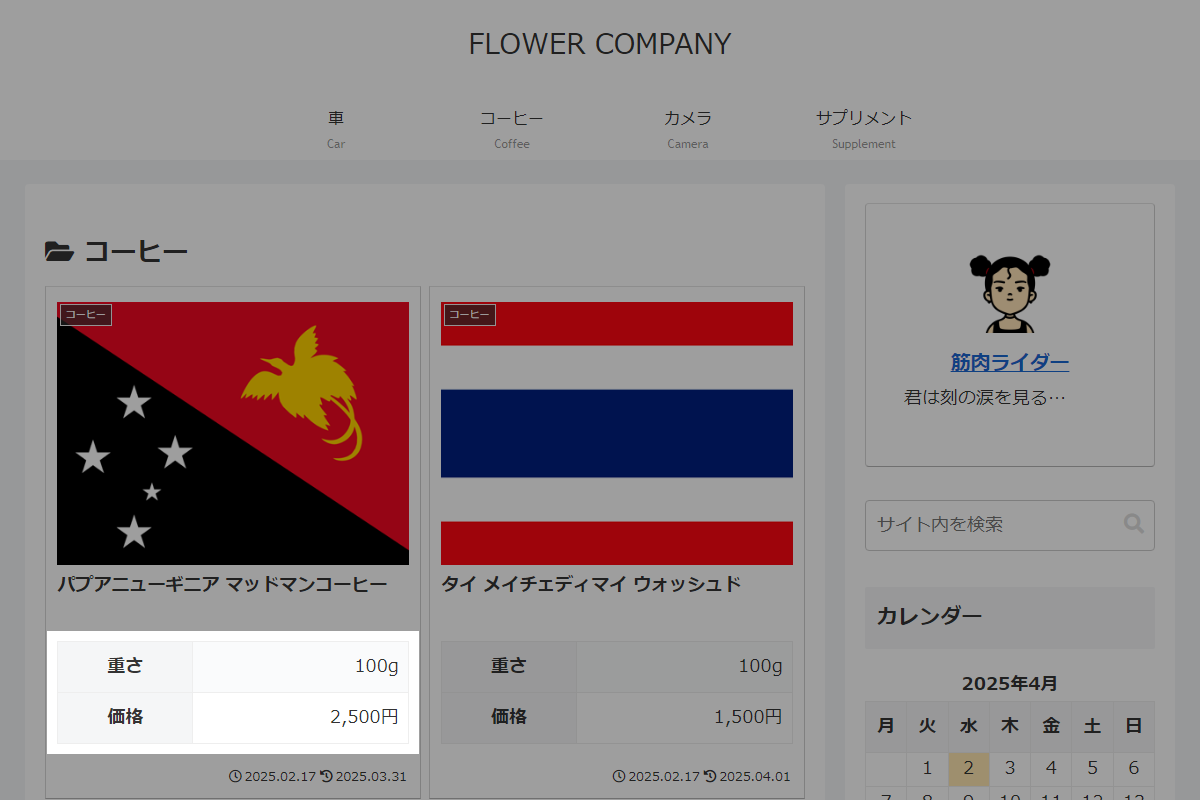
以下を実現します。

完成イメージ
実装手順
以下の手順で実装します。
- ラベルCocoon設定
表1に示す項目を設定します。Cocoon設定
設定 大項目 項目 設定値 インデックス リスト設定 カードタイプ 縦型カード2列 - ラベルカスタムフィールドを追加
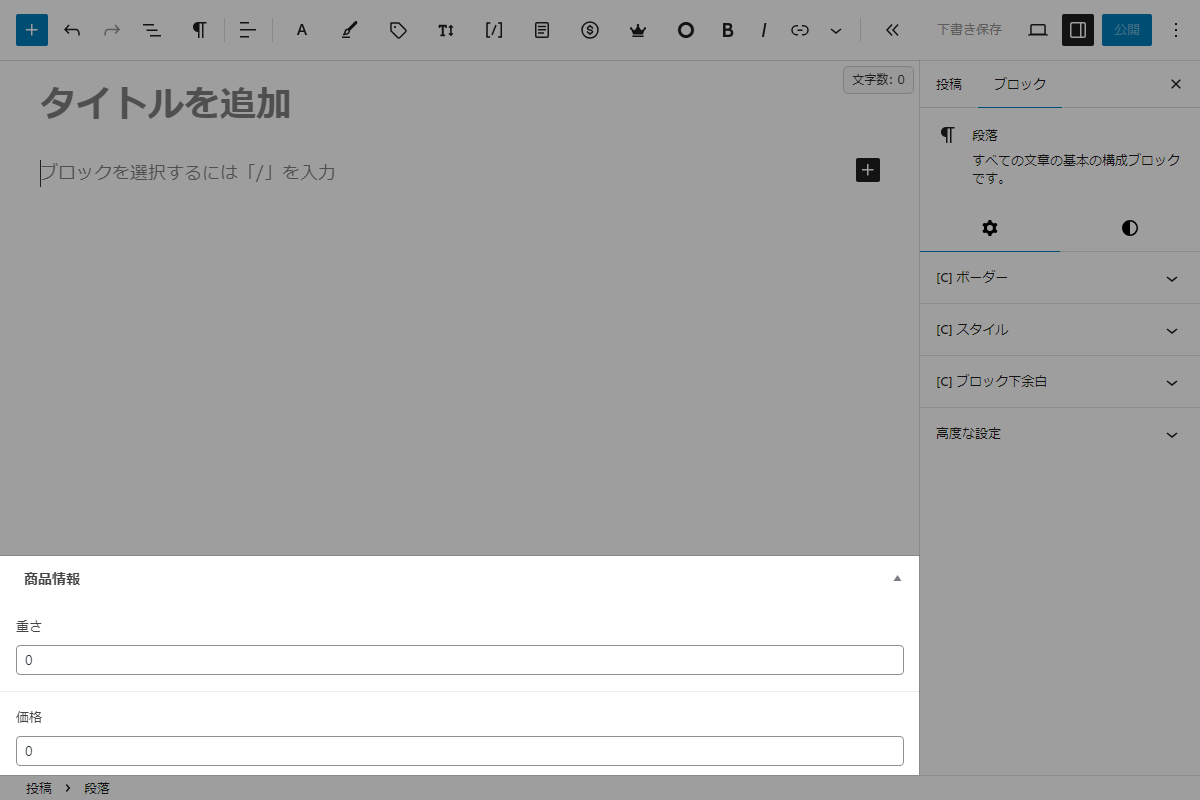
Advanced Custom Fields プラグイン「ACF」(Advanced Custom Fields)を使用して、カスタムフィールドを作成します。
表1に、カスタムフィールド名を示します。カスタムフィールド ラベル名 カスタムフィールド名 重さ weight 価格 fee - ラベルPHPを追加
以下のコードをfunctions.phpに追加します。
add_action('entry_card_snippet_after', function ($post_id) {
  // カスタムフィールド(ACF)を取得
  $weight = number_format(get_field('weight', $post_id));
  $fee    = number_format(get_field('fee', $post_id));

  ?>
  <table class="product-info">
    <tbody>
      <tr>
        <th class="product-info__label">重さ</th>
        <td class="product-info__value"> <?= $weight ?>g</td>
      </tr>
      <tr>
        <th class="product-info__label">価格</th>
        <td class="product-info__value"> <?= $fee ?>円</td>
      </tr>
    </tbody>
  </table>
  <?php
});
さいごに
今回紹介した方法を使えば、フックを利用することで、簡単にエントリーカードにHTMLを追加できます。
また、プラグイン「ACF」を使用すれば、画面上で入力フォームを設定するだけで、ノーコードでメタボックスを作成できます。
さらに、get_field($key)を使用することで、プラグインの利用が一目で分かりやすくなります。
