
はじめに
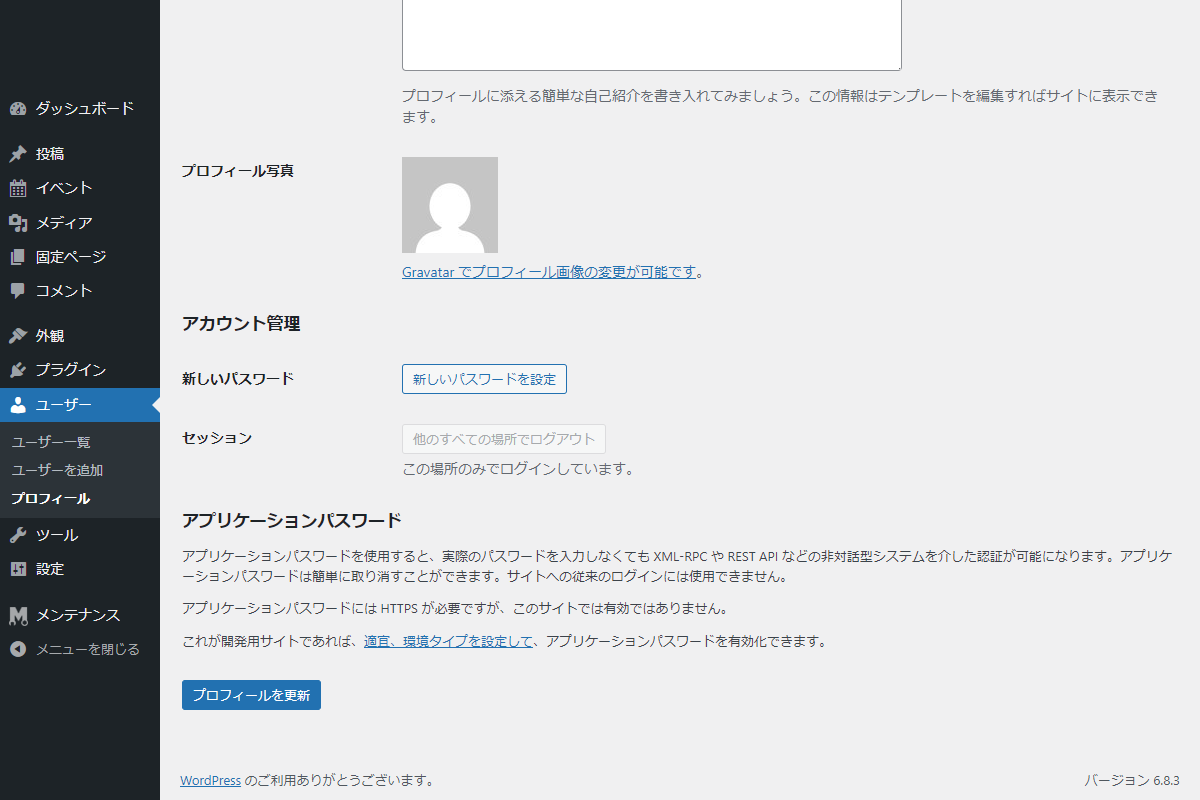
WordPressにおけるプロフィール写真(アバター)の設定は、ユーザーの個性や信頼性を視覚的に伝える重要な要素です。
標準では、Gravatarという外部サービスを通じて画像が表示される仕組みが採用されています。
しかし、Gravatarを利用したくない場合、プラグイン「One User Avatar」などを用いる方法もあります。
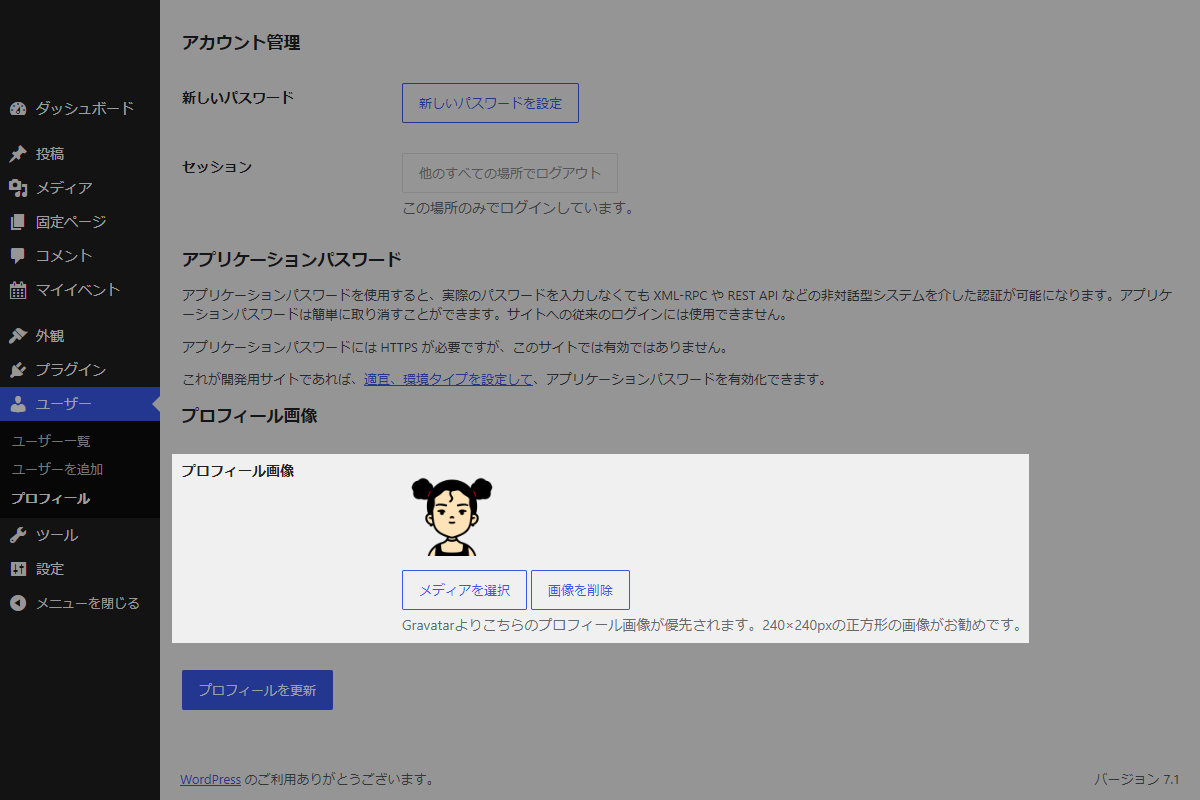
Cocoonには、Gravatarを使わずにプロフィール画像を設定できる独自機能が備わっています。
この機能の仕組みを応用すれば、プラグインを使わずに、他のテーマでも同様の設定を実現できます。
この記事では、この方法について説明します。

完成イメージ
実装手順
以下のコードをfunctions.phpに追加します。
/**
 * プロフィール画像URL取得関数
 *
 * @param int $user_id ユーザーID
 * @return string プロフィール画像のURL
 */
if (!function_exists('get_the_author_uploaded_avatar_url')):
function get_the_author_uploaded_avatar_url($user_id) {
  if (!$user_id) {
    $user_id = get_the_posts_author_id();
  }

  return esc_html(get_the_author_meta('my_uploaded_avatar', $user_id));
}
endif;


/**
 * プロフィール画像URL入力欄を追加
 *
 * @param WP_User $user 編集対象のユーザーオブジェクト
 * @return void
 */
if (!function_exists('add_avatar_to_user_profile')):
function add_avatar_to_user_profile($user) {
  $avatar_url = get_the_author_uploaded_avatar_url($user->ID);
  ?>
  <h3>プロフィール画像</h3>
  <table class="form-table">
    <tr>
      <th><label for="uploaded_avatar">プロフィール画像</label></th>
      <td>
        <input type="hidden" name="uploaded_avatar" id="uploaded_avatar" value="<?= esc_attr($avatar_url); ?>">

        <div id="uploaded_avatar_preview" style="margin-bottom: 10px;">
          <?php if ($avatar_url): ?>
            <img src="<?= esc_url($avatar_url); ?>" style="width: 100px; height: 100px; object-fit: cover;">
          <?php endif; ?>
        </div>

        <button type="button" class="button" id="uploaded_avatar_select">メディアを選択</button>
        <button type="button" class="button" id="uploaded_avatar_remove">画像を削除</button>

        <p class="description">Gravatarよりこちらのプロフィール画像が優先されます。240×240pxの正方形の画像がお勧めです。</p>
      </td>
    </tr>
  </table>
  <?php
}
endif;


// ユーザープロフィール画面に項目を追加
add_action('show_user_profile', 'add_avatar_to_user_profile');
add_action('edit_user_profile', 'add_avatar_to_user_profile');


// メディアライブラリ・JSを読み込み
add_action('admin_enqueue_scripts', function ($hook_suffix) {
  if ($hook_suffix !== 'profile.php' && $hook_suffix !== 'user-edit.php') {
    return;
  }

  wp_enqueue_media();

  ob_start();
  ?>
  jQuery(function ($) {

    // メディア選択
    $('#uploaded_avatar_select').on('click', function (e) {
      e.preventDefault();

      const frame = wp.media({
        title: 'プロフィール画像を選択',
        button: {
          text: '画像を設定'
        },
        library: {
          type: 'image'
        },
        multiple: false
      });

      frame.on('select', function () {
        const attachment = frame.state().get('selection').first().toJSON();

        $('#uploaded_avatar').val(attachment.url);

        $('#uploaded_avatar_preview').html(
          '<img src="' + attachment.url + '" style="width: 100px; height: 100px; object-fit: cover;">'
        );
      });

      frame.open();
    });


    // 画像を削除
    $('#uploaded_avatar_remove').on('click', function (e) {
      e.preventDefault();

      $('#uploaded_avatar').val('');
      $('#uploaded_avatar_preview').empty();
    });

  });
  <?php
  wp_add_inline_script('media-editor', ob_get_clean());
});


/**
 * プロフィール画像URL保存関数
 *
 * @param int $user_id 保存対象のユーザーID
 * @return void
 */
if (!function_exists('update_avatar_to_user_profile')):
function update_avatar_to_user_profile($user_id) {
  // 権限チェック
  if (!current_user_can('edit_user', $user_id)) {
    return;
  }

  if (isset($_POST['uploaded_avatar'])) {
    $avatar_url = esc_url_raw(wp_unslash($_POST['uploaded_avatar']));

    if ($avatar_url !== '') {
      update_user_meta($user_id, 'my_uploaded_avatar', $avatar_url);
    } else {
      delete_user_meta($user_id, 'my_uploaded_avatar');
    }
  }
}
endif;


// ユーザープロフィールの更新
add_action('personal_options_update', 'update_avatar_to_user_profile');
add_action('edit_user_profile_update', 'update_avatar_to_user_profile');


// プロフィール画像を取得
add_filter('get_avatar', function ($avatar, $id_or_email, $size, $default, $alt) {
  // ユーザーIDを取得
  if (is_numeric($id_or_email)) {
    $user_id = (int) $id_or_email;
  } elseif (is_string($id_or_email) && ($user = get_user_by('email', $id_or_email))) {
    $user_id = $user->ID;
  } elseif (is_object($id_or_email) && !empty($id_or_email->user_id)) {
    $user_id = (int) $id_or_email->user_id;
  }

  if (empty($user_id)) {
    return $avatar;
  }

  $custom_avatar_url = get_the_author_uploaded_avatar_url($user_id);

  if ($custom_avatar_url) {
    $alt = !empty($alt) ? $alt : get_the_author_meta('display_name', $user_id);
    $author_class = is_author($user_id) ? ' current-author' : '';

    $avatar = "<img alt='" . esc_attr($alt) . "' src='" . esc_url($custom_avatar_url) . "' class='avatar avatar-{$size}{$author_class} photo' height='{$size}' width='{$size}' />";
  }

  return $avatar;
}, 10, 5);
さいごに
今回紹介した方法を使えば、Gravatarに依存せず、WordPressのユーザープロフィールに任意の画像を設定できるようになります。
テーマに依存せず利用できるコードですので、Cocoon以外のテーマでもぜひ活用してみてください

