はじめに
Cocoonでは、タグアーカイブにはパンくずリストが表示されません。
そのため、以下のようにテンプレートを変更して対応する方法を紹介しています。

そこで、テンプレートを変更せずに、タグアーカイブに加えて、年月日アーカイブや著者アーカイブにもパンくずリストを表示します。
この記事では、この方法について説明します。

完成イメージ
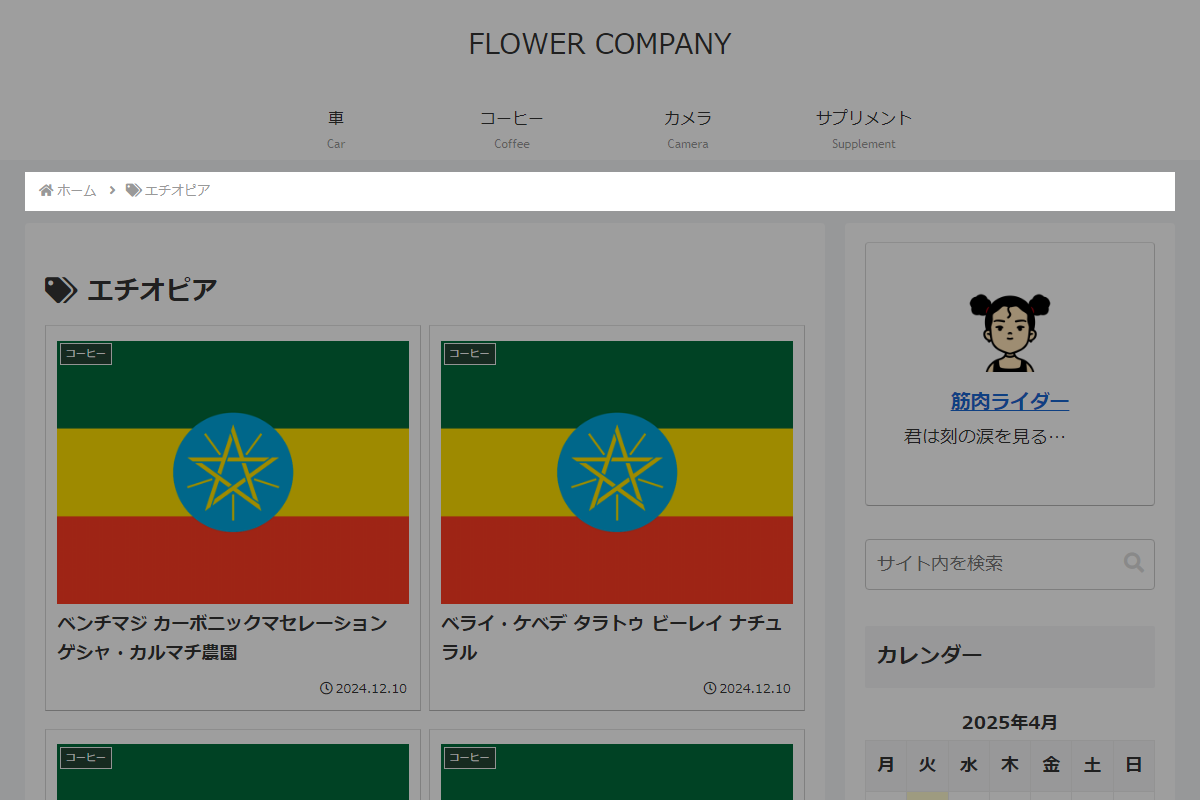
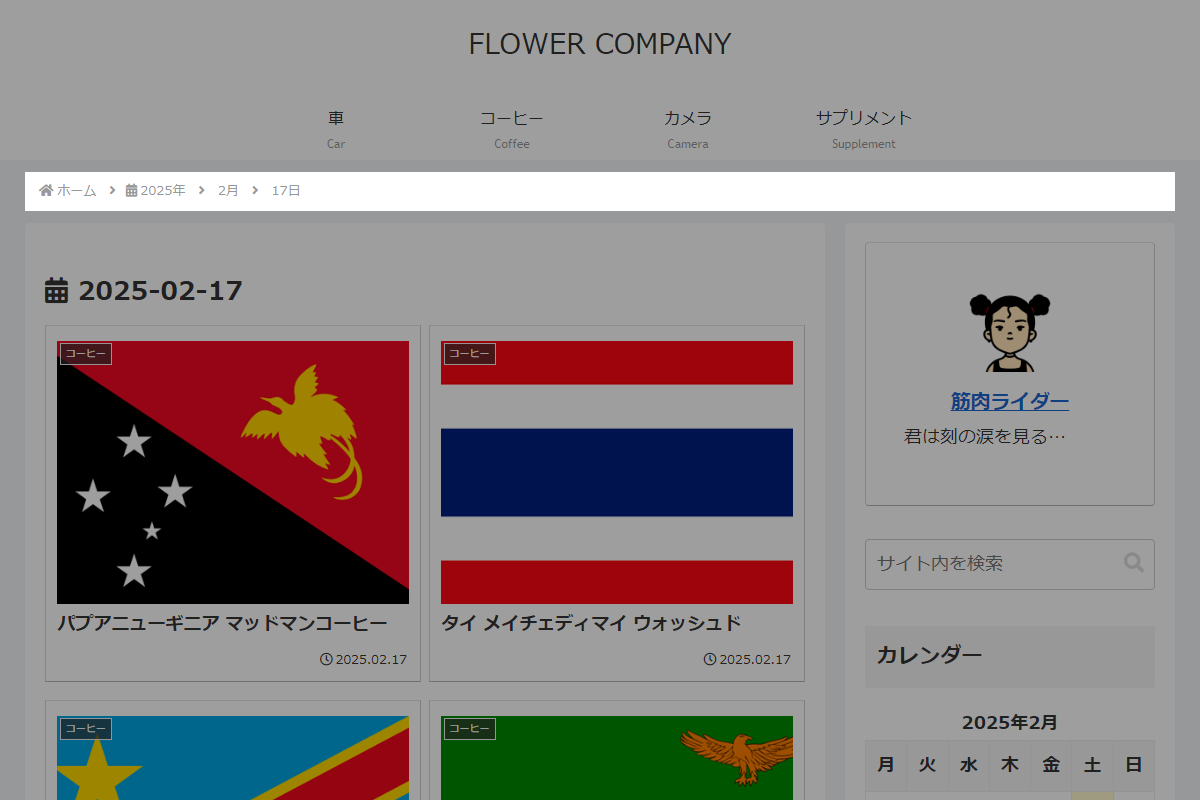
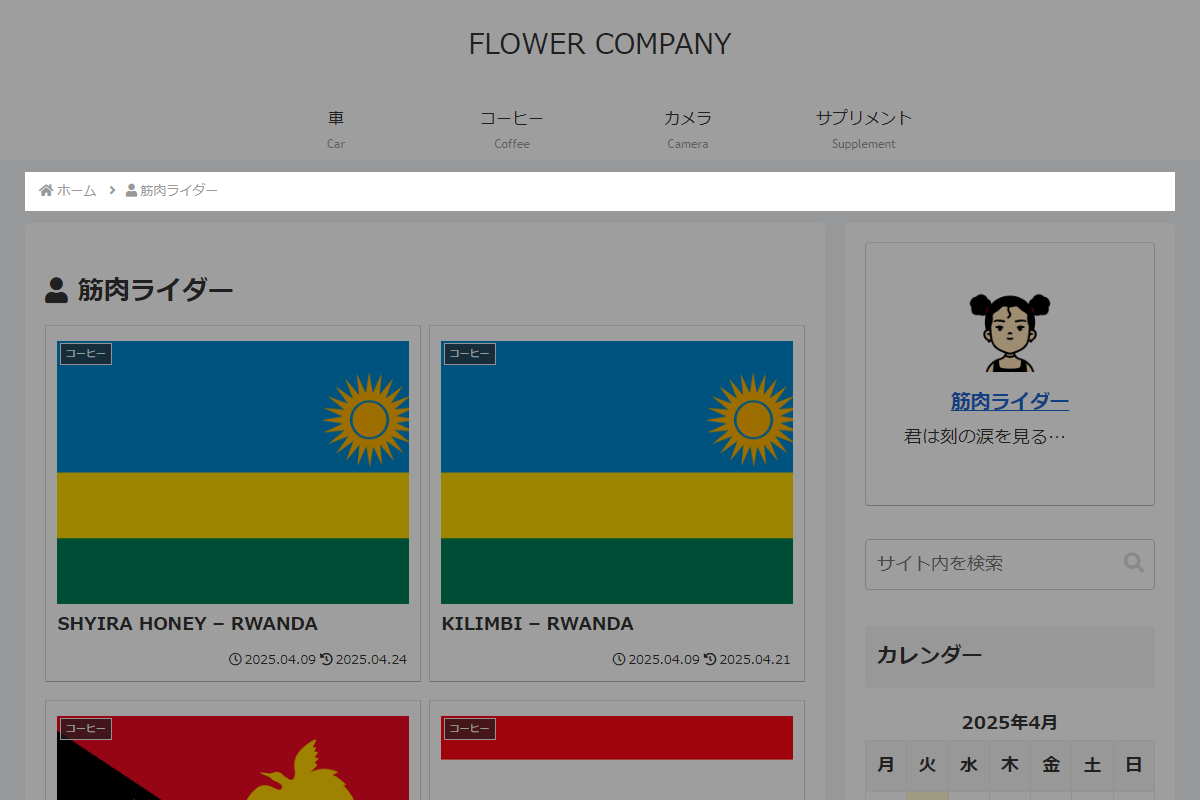
実装手順
以下の手順で実装します。
- ラベルCocoon設定
表1に示す項目を設定をします。
Cocoon設定 設定 大項目 項目 設定値 投稿 パンくずリスト設定 パンくずリストの配置 - ラベルPHPを追加
以下のコードをfunctions.phpに追加します。
// テンプレート(パンくずリスト)を変更
add_filter('cocoon_part__tmp/breadcrumbs', function ($content) {

  if (!is_tag() && !is_year() && !is_month() && !is_day() && !is_author()) {
    return $content;
  }

  $items = get_custom_breadcrumb_items();

  ob_start();
  ?>
  <div id="breadcrumb" class="breadcrumb breadcrumb-category<?= esc_attr(get_additional_single_breadcrumbs_classes()); ?>" itemscope itemtype="https://schema.org/BreadcrumbList">
    <?php
    $position = 0;

    foreach ($items as $item):
      $position++;
      echo render_breadcrumb_item($item['url'], $item['label'], $position, $item['icon'] ?? '', $position > 1, $item['class'] ?? 'breadcrumb-item');
    endforeach;
    ?>
  </div>
  <?php

  return ob_get_clean();
});


/**
 * カスタムパンくずリストの項目を取得
 *
 * @return array パンくずリスト項目の配列
 */
if (!function_exists('get_custom_breadcrumb_items')):
function get_custom_breadcrumb_items() {

  $root_text = apply_filters('breadcrumbs_page_root_text', __('ホーム', THEME_NAME));

  $items = [
    'home' => [
      'url'   => get_home_url(),
      'label' => $root_text,
      'icon'  => 'fa fa-home fa-fw',
      'class' => 'breadcrumb-home',
    ],
  ];

  // タグ
  if (is_tag()) {
    $tag = get_queried_object();

    $items['tag'] = [
      'url'   => get_tag_link($tag->term_id),
      'label' => $tag->name,
      'icon'  => 'fa fa-tags',
    ];
  }

  // 年月日アーカイブ
  if (is_year() || is_month() || is_day()) {
    $year = get_query_var('year');

    $items['year'] = [
      'url'   => get_year_link($year),
      'label' => $year . '年',
      'icon'  => 'fas fa-calendar-alt',
    ];

    // 月
    if (is_month() || is_day()) {
      $monthnum = get_query_var('monthnum');

      $items['month'] = [
        'url'   => get_month_link($year, $monthnum),
        'label' => $monthnum . '月',
      ];
    }

    // 日
    if (is_day()) {
      $day = get_query_var('day');

      $items['day'] = [
        'url'   => get_day_link($year, $monthnum, $day),
        'label' => $day . '日',
      ];
    }
  }

  // 著者
  if (is_author()) {
    $author = get_queried_object();

    $items['author'] = [
      'url'   => get_author_posts_url($author->ID),
      'label' => $author->display_name,
      'icon'  => 'fa fa-user',
    ];
  }

  return $items;
}
endif;


/**
 * パンくずリスト項目のHTMLを生成
 *
 * @param string $url リンクURL
 * @param string $label 表示ラベル
 * @param int $position Schema.org上の位置
 * @param string $icon Font Awesomeアイコン
 * @param bool $add_arrow 区切り矢印を表示するか
 * @param string $class 項目のCSSクラス
 * @return string
 */
if (!function_exists('render_breadcrumb_item')):
function render_breadcrumb_item($url, $label, $position, $icon = '', $add_arrow = true, $class = 'breadcrumb-item') {
  ob_start();
  ?>
  <div class="<?= esc_attr($class); ?>" itemscope itemtype="https://schema.org/ListItem" itemprop="itemListElement">
    <?php if ($add_arrow): ?>
      <span class="sp">
        <span class="fas fa-angle-right" aria-hidden="true"></span>
      </span>
    <?php endif; ?>

    <?php if ($icon): ?>
      <span class="<?= esc_attr($icon); ?>" aria-hidden="true"></span>
    <?php endif; ?>

    <a href="<?= esc_url($url); ?>" itemprop="item">
      <span itemprop="name" class="breadcrumb-caption"><?= esc_html($label); ?></span>
    </a>

    <meta itemprop="position" content="<?= esc_attr($position); ?>">
  </div>
  <?php

  return ob_get_clean();
}
endif;
さいごに
今回紹介した方法を使えば、テンプレートファイルを編集することなく、タグアーカイブに加えて年月日アーカイブや著者アーカイブにもパンくずリストを表示できます。
Cocoonの仕様に合わせて柔軟に拡張できるため、ユーザーの利便性向上にもつながります。