はじめに
WordPressには投稿やページ全体をパスワードで保護する標準機能がありますが、本文の一部だけを保護する機能はありません。
部分的にコンテンツを保護する方法としては、プラグイン「Passster」などを利用する手段があります。
しかし、プラグインを使わずに、工夫することで、本文の一部だけをパスワード保護することも可能です。
なお、通常のWordPressのパスワード保護機能では、ログインユーザーであってもパスワードを入力しない限り閲覧できません。
一方、今回紹介するコードでは、ログインユーザーはパスワード入力を求められず、常に全文を閲覧できるようになっています。
この記事では、この方法について説明します。
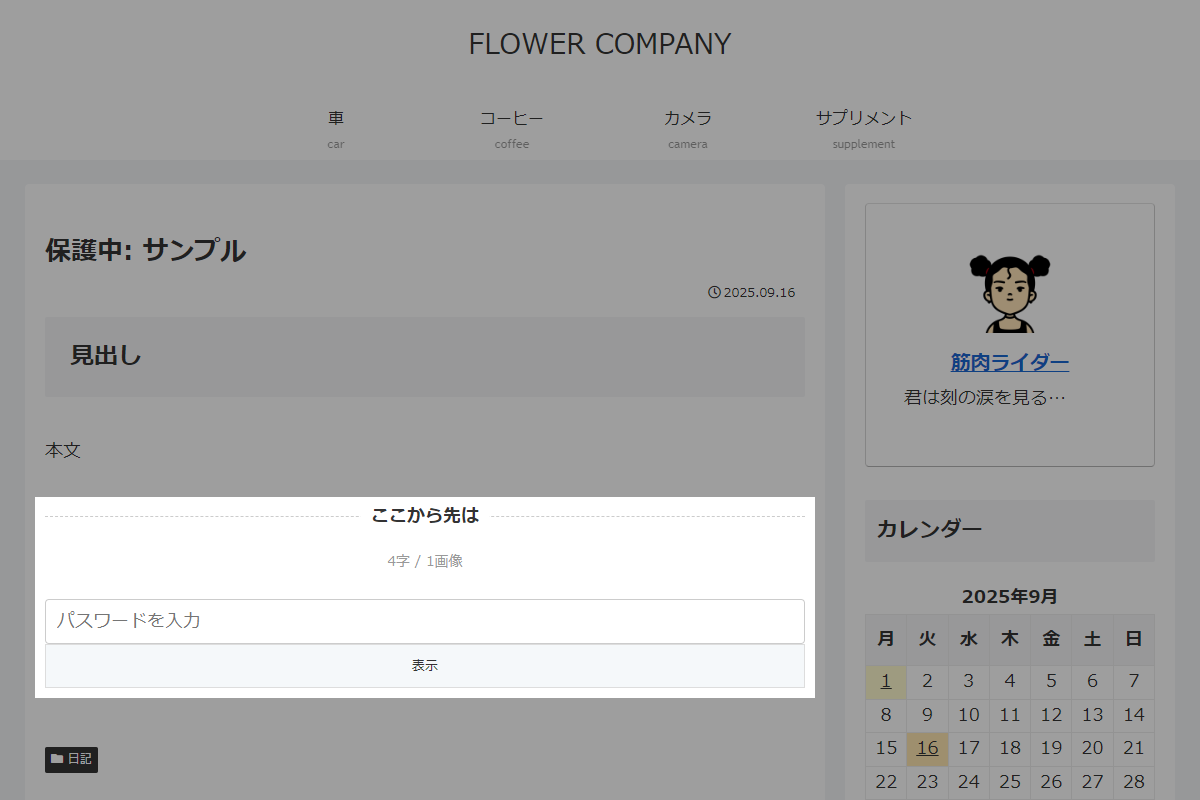
完成イメージ
実装手順
以下の手順で実装します。
- ラベルGutenbergエディターの設定
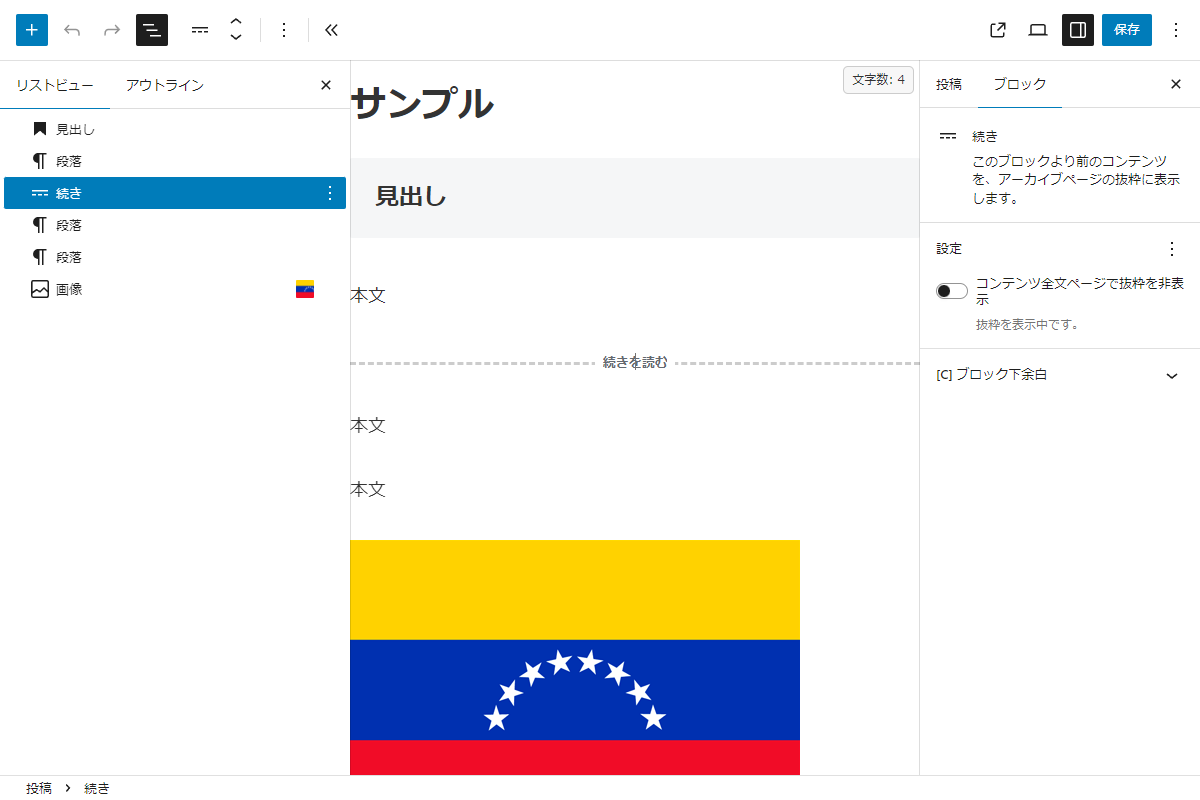
Gutenbergエディター 以下に手順を示します。
- 以降を非表示にしたい箇所の前に、「続き」ブロックを挿入します。
- 投稿を「パスワード保護」します。
- ラベルPHPを追加
以下のコードをfunctions.phpに追加します。
add_filter('the_password_form', function ($output) { global $post; if (!$post) { return $output; } // ログインユーザーは本文を表示 if (is_user_logged_in()) { return $post->post_content; } $content = $post->post_content; // moreタグありは本文を分割 if (strpos($content, '<!--more-->') !== false) { // moreタグを境界に本文を分割 $parts = explode('<!--more-->', $content, 2); $before_more = $parts[0]; $after_more = $parts[1]; // more以降のコンテンツを整形 $after_more_clean = strip_shortcodes($after_more); $after_more_clean = preg_replace('/<!--.*?-->/s', '', $after_more_clean); // 文字数を取得 $text_only = wp_strip_all_tags($after_more_clean); $text_only = preg_replace('/\s+/u', '', $text_only); $char_count = mb_strlen($text_only); // 画像数を取得 preg_match_all('/<img\s[^>]*>/i', $after_more_clean, $matches); $img_count = count($matches[0]); // 文字数と送信先URLを取得 $formatted_char_count = number_format($char_count); $action_url = esc_url(site_url('wp-login.php?action=postpass', 'login_post')); ob_start(); ?> <div class="post-password"> <p class="post-password__label has-text-align-center"><span class="post-password__label-text bold">ここから先は</span></p> <p class="post-password__note has-text-align-center"><?php echo $formatted_char_count; ?>字 / <?php echo $img_count; ?>画像</p> <form class="post-password__form" action="<?php echo $action_url; ?>" method="post"> <input name="post_password" type="password" placeholder="パスワードを入力"/> <input type="submit" name="Submit" value="表示" /> </form> </div> <?php $output = $before_more . ob_get_clean(); } return $output; }); - ラベルCSSを追加
以下のコードをstyle.cssに追加します。
.my-label-wrap::after {
  content: "";
  border-top: 1px dashed #ccc;
  display: block;
  margin-top: -1em;
}

.my-label {
  background-color: #fff;
  display: inline;
  padding: 0 10px;
}

.my-note {
  color: #999;
  font-size: 14px;
}
さいごに
今回紹介した方法を使えば、プラグインを使わずに、本文の一部だけをパスワード保護することが可能です。
Gutenbergの「続き」ブロックとPHPのカスタマイズを組み合わせることで、簡単に部分的なコンテンツ制限を実装できます。
サイトの柔軟な情報公開や、有料記事の一部非公開などにも応用できる方法です。