
はじめに
Cocoon設定→インデックス→除外カテゴリーは、サイト全体の表示制御に役立つ便利な機能です。
しかし、設定画面の入力欄が小さく、どのカテゴリーを除外したか忘れてしまうことがあります。
そこで、投稿→カテゴリーの一覧画面において、除外対象に指定されているカテゴリー名の先頭へ自動的に「除外:」というテキストを付与し、確認漏れや見逃しを防止します。
この記事では、この方法について説明します。
完成イメージ
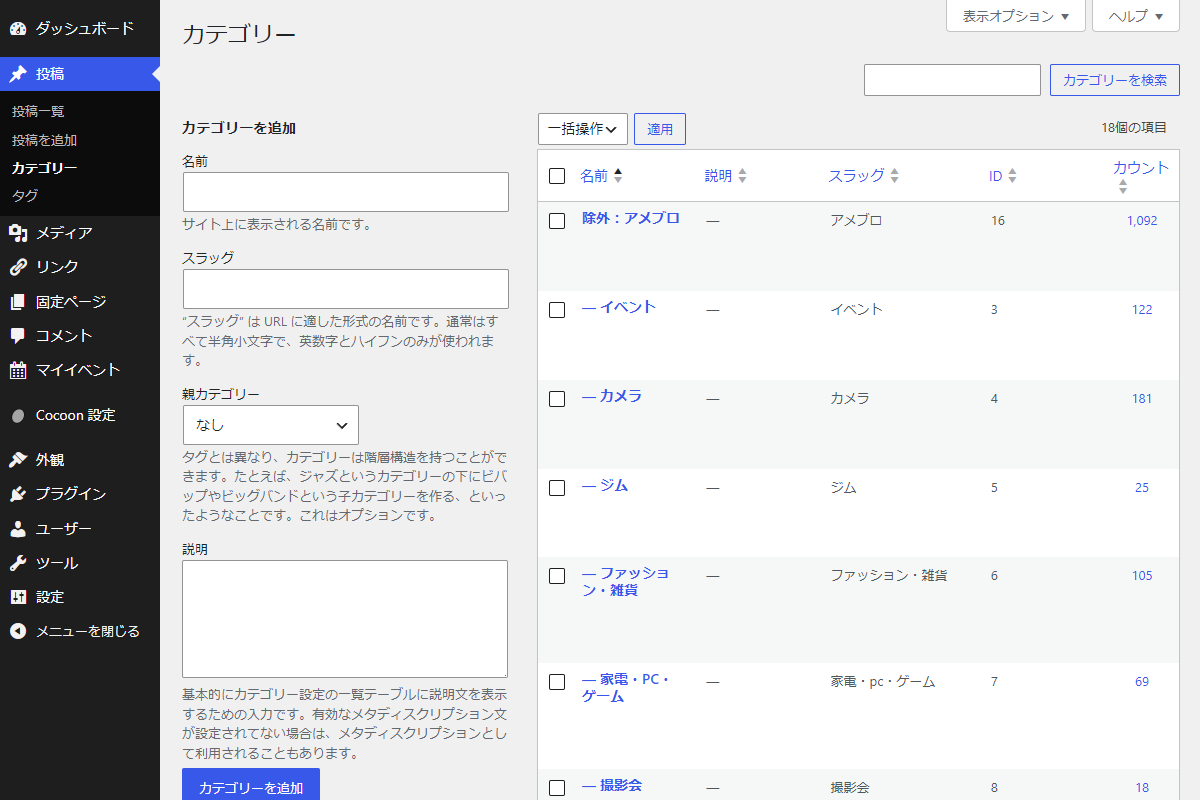
実装手順
以下のコードをfunctions.phpに追加します。
// ターム名を変更
add_filter('term_name', function ($name) {
  $screen = get_current_screen();
  if (!$screen || $screen->id !== 'edit-category') {
    return $name;
  }

  if (!is_admin()) {
    return $name;
  }

  // 除外カテゴリーIDを取得
  $exclude_ids = get_archive_exclude_category_ids();

  if (empty($exclude_ids)) {
    return $name;
  }

  if (!is_array($exclude_ids)) {
    $exclude_ids = array_filter(array_map('trim', explode(',', (string) $exclude_ids)));
  }

  // 名前からカテゴリーオブジェクトを取得してID判定
  $term = get_term_by('name', $name, 'category');
  if ($term && in_array((string) $term->term_id, array_map('strval', $exclude_ids), true)) {
    if (strpos($name, '除外:') !== 0) {
      return '除外:' . $name;
    }
  }

  return $name;
});
応用:該当カテゴリーの行を赤色にして目立たせる方法
対象の除外カテゴリーの行背景を赤色にハイライト表示し、視認性を向上させます。
完成イメージ
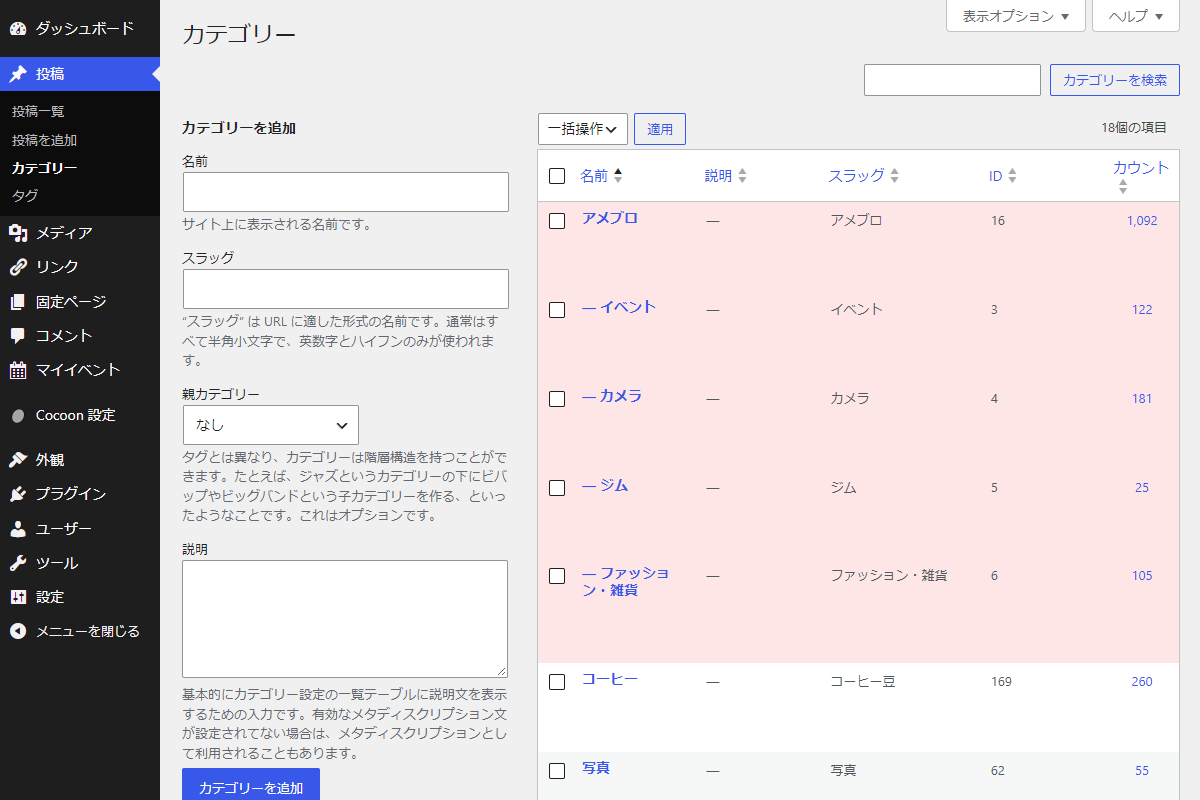
実装手順
以下のコードをfunctions.phpに追加します。
add_action('admin_enqueue_scripts', function ($hook_suffix) {
  if ($hook_suffix !== 'edit-tags.php') {
    return;
  }

  $screen = get_current_screen();
  if (!$screen || $screen->taxonomy !== 'category') {
    return;
  }

  // 除外カテゴリーIDを取得
  $exclude_ids = get_archive_exclude_category_ids();
  if (empty($exclude_ids)) {
    return;
  }

  if (!is_array($exclude_ids)) {
    $exclude_ids = array_filter(array_map('trim', explode(',', (string) $exclude_ids)));
  }

  if (empty($exclude_ids)) {
    return;
  }

  // 親カテゴリー配下のすべての子孫カテゴリーIDを取得
  $all_targets = [];
  foreach ($exclude_ids as $id) {
    $id = intval($id);
    if ($id <= 0) {
      continue;
    }

    // 親カテゴリーIDを登録
    $all_targets[] = $id;

    // 子孫カテゴリーIDを取得
    $children = get_term_children($id, 'category');
    if (!is_wp_error($children) && !empty($children)) {
      $all_targets = array_merge($all_targets, $children);
    }
  }

  // 重複するカテゴリーIDを排除
  $all_targets = array_unique($all_targets);

  if (empty($all_targets)) {
    return;
  }

  // 対象カテゴリーのCSSセレクターに置換
  $selectors = array_map(function ($id) {
    return '#the-list tr#tag-' . intval($id);
  }, $all_targets);

  // CSS生成
  $css = implode(', ', $selectors) . ' { background-color: #ffe6e6; }';
  wp_add_inline_style('wp-admin', $css);
});
さいごに
今回紹介した方法を使えば、Cocoonの設定画面まで毎回移動することなく、投稿→カテゴリーの一覧を見るだけで除外設定中のカテゴリーをひと目で把握できるようになります。
入力欄が小さく管理しづらかった除外カテゴリーの確認作業がスムーズになり、設定漏れや重複設定などの見逃し防止に役立ちます。