
はじめに
以下の記事では、Cocoon設定を拡張し、独自の設定項目を追加する方法を紹介しました。

今回は、Cocoon設定を拡張し、ブログカードのスニペット自体の出力を制御します。
CSSのdisplay: none;で非表示にする方法もありますが、画面上からは消えてもHTML上にはテキストデータが残ってしまいます。
そこで、無駄なDOMやテキストを出力させないためには、フィルターフックを使ってHTMLそのものを削除します。
この記事では、この方法について説明します。
完成イメージ
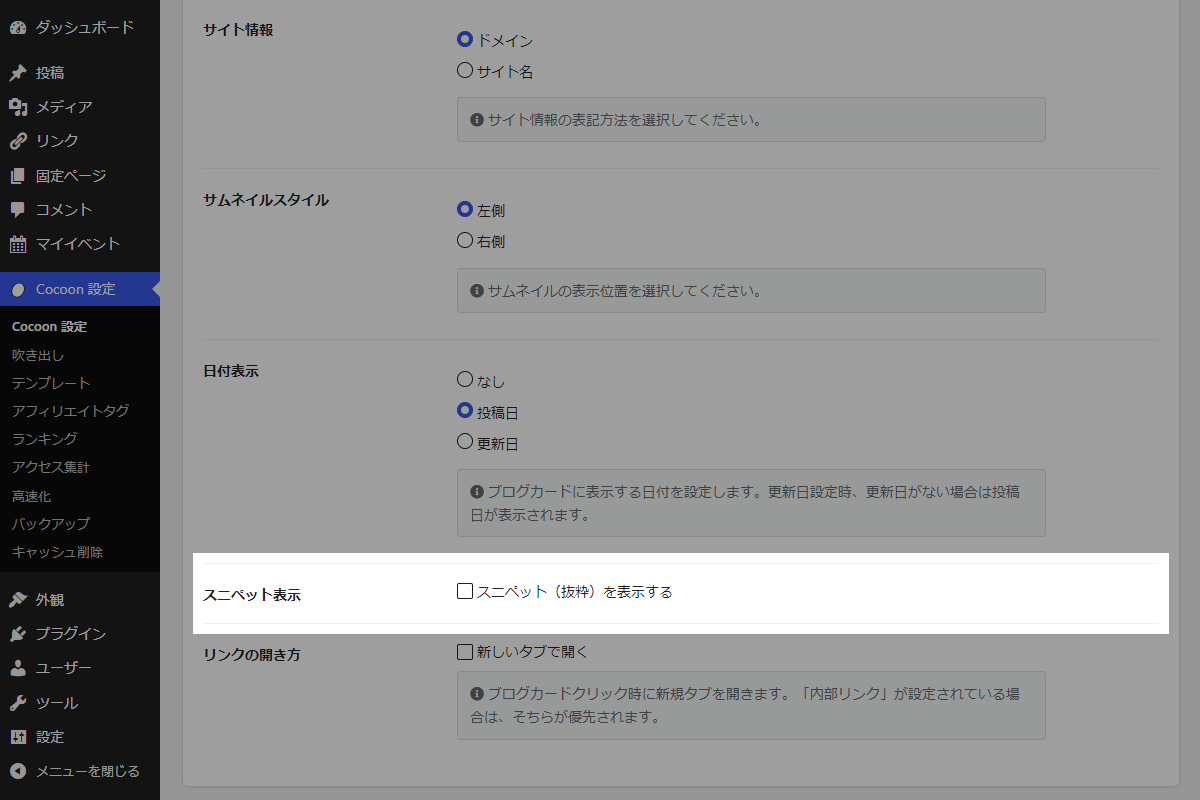
実装手順
以下のコードをfunctions.phpに追加します。
/**
 * オプションを管理
 *
 * @return array オプション設定の配列
 */
if (!function_exists('my_cocoon_options')):
function my_cocoon_options() {
  return [
    'my_internal_blogcard_snippet__visible' => 0,
    'my_external_blogcard_snippet__visible' => 0,
  ];
}
endif;


/**
 * 設定値を取得
 *
 * @param string $key オプションキー名
 * @return mixed 設定値
 */
if (!function_exists('get_my_cocoon_options')):
function get_my_cocoon_options($key) {
  $options = my_cocoon_options();

  return get_theme_option($key, isset($options[$key]) ? $options[$key] : null);
}
endif;


// Cocoon設定値を保存
add_action('cocoon_settings_after_save', function () {
  foreach (array_keys(my_cocoon_options()) as $key) {
    update_theme_option($key);
  }
});


// 管理画面にメニューを追加
add_action('admin_menu', function () {
  $page_hook = get_plugin_page_hookname('theme-settings', '');

  if ($page_hook) {
    add_action($page_hook, 'add_blogcard_snippet_fields');
  }
}, 99);


/**
 * Cocoon設定(ブログカード)にメニューを追加
 *
 * @return void
 */
if (!function_exists('add_blogcard_snippet_fields')):
function add_blogcard_snippet_fields() {
  $targets = [
    [
      'id'   => '#internal_blogcard_target_blank_1',
      'html' => get_blogcard_snippet_field_html('my_internal_blogcard_snippet__visible'),
    ],
    [
      'id'   => '#external_blogcard_target_blank_1',
      'html' => get_blogcard_snippet_field_html('my_external_blogcard_snippet__visible'),
    ],
  ];

  ?>
  <script>
  jQuery(function ($) {
    const targets = <?= wp_json_encode($targets); ?>;

    targets.forEach(function (target) {
      const $tr = $(target.id).closest('tr');
      if ($tr.length) {
        $tr.before(target.html);
      }
    });
  });
  </script>
  <?php
}
endif;


/**
 * ブログカード設定のHTMLを生成
 *
 * @param string $key 設定キー名
 * @return string HTML文字列
 */
if (!function_exists('get_blogcard_snippet_field_html')):
function get_blogcard_snippet_field_html($key) {
  ob_start();
  ?>
  <tr>
    <th scope="row">
      <label>スニペット表示</label>
    </th>
    <td>
      <?php generate_checkbox_tag($key, get_my_cocoon_options($key), 'スニペット(抜粋)を表示する'); ?>
    </td>
  </tr>
  <?php
  return ob_get_clean();
}
endif;


// 内部ブログカードのスニペット制御
add_filter('cocoon_internal_blogcard_snippet', function ($snippet, $url) {
  if (!get_my_cocoon_options('my_internal_blogcard_snippet__visible')) {
    return '';
  }
  return $snippet;
}, 10, 2);


// 外部ブログカードのスニペット制御
add_filter('cocoon_external_blogcard_snippet', function ($snippet, $url) {
  if (!get_my_cocoon_options('my_external_blogcard_snippet__visible')) {
    return '';
  }
  return $snippet;
}, 10, 2);
さいごに
今回紹介した方法を使えば、CSSで非表示にするのではなく、HTMLレベルから不要なスニペット出力をカットして表示をすっきりさせることができます。
Cocoonの設定画面から簡単にON/OFFを切り替えられるため、運用の手間もかかりません。