はじめに
以前の記事では、SWELL風のコンテンツヘッダーを追加する方法を紹介しました。
そこで今回は、WordPress標準の「カバー」ブロックを活用し、SWELLのようにアイキャッチ画像とは別に好きなヘッダー画像を設定しつつ、記事ごとに「見せたい位置」を簡単に調整できるカスタマイズを行います。
この記事では、この方法について説明します。
目的
SWELLフォーラムでも「投稿タイトルと背景画像の重なりを記事ごとに調整したい」という要望があるように、ヘッダー画像の表示位置の調整は重要な要素です。

WordPress標準の「カバー」ブロックには、画像の切り抜き位置を指定できる「フォーカルポイント」機能が備わっています。
通常のアイキャッチの代わりにカバーブロックを活用することで、記事ごとにCSSで表示位置の座標を指定し直す手間がなくなり、エディター上で直感的に背景位置を微調整できるようになります。
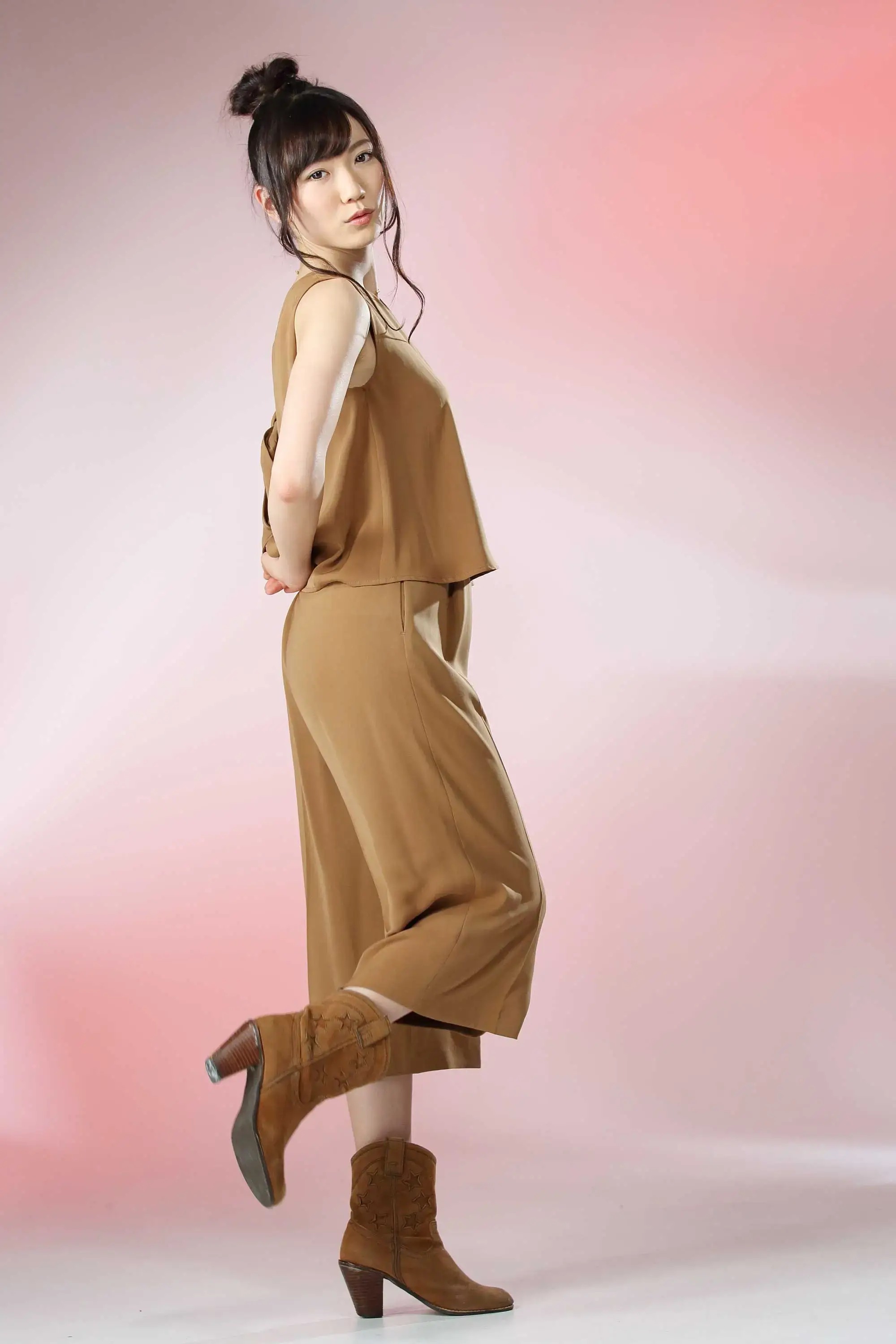
完成イメージ
本ページに完成イメージを反映させます。
実装手順
以下の手順で実装します。
- ラベルGutenbergエディターでの設定
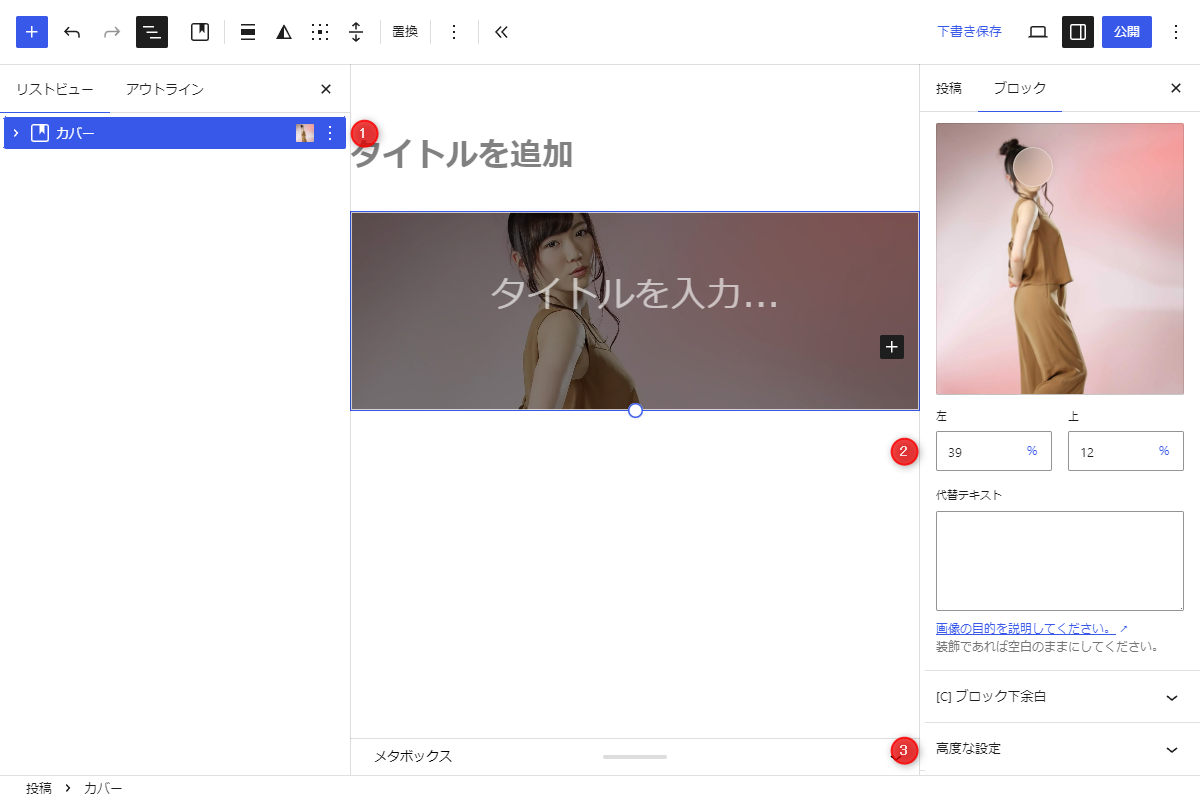
Gutenbergエディター 以下に手順を示します。
- 「カバー」ブロックを配置します。
- 画像を「カバー」ブロックに追加したら、ブロック設定の「フォーカルポイント」を上下に動かして表示位置を調整します。
- 「カバー」ブロックに高度な設定→追加CSSクラスに
my_headerと入力します。
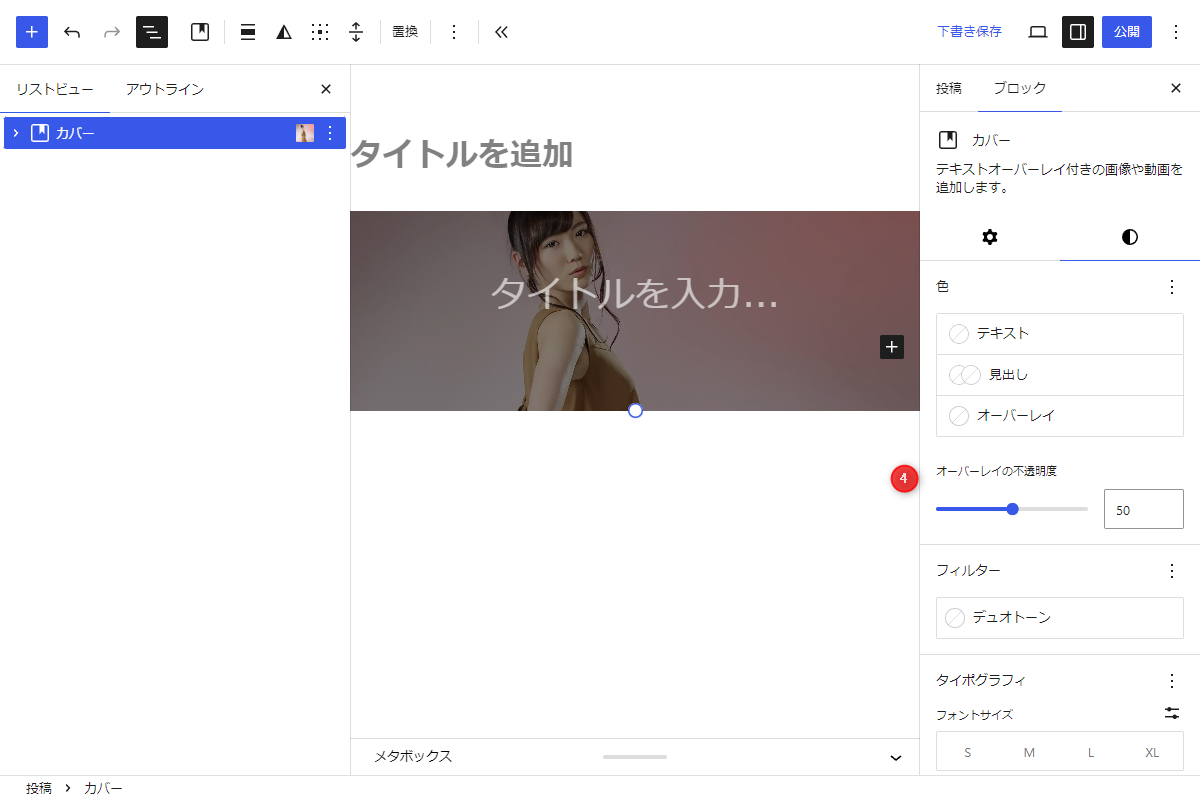
Gutenbergエディター - 右側の「スタイル設定」からテキスト色やオーバーレイの色を変更することもできます。
- ラベルPHPを追加
以下のコードをfunctions.phpに追加します。
/**
 * 指定されたカバーブロックに投稿タイトルを挿入
 *
 * @param array  $blocks parse_blocks() で解析されたブロック配列
 * @param string $target_class 検索対象のCSSクラス名
 * @param string $title 挿入する投稿タイトル
 * @return string 加工後のブロックHTML(見つからない場合は空文字)
 */
if (!function_exists('get_cover_block_html_with_title')):
function get_cover_block_html_with_title($blocks, $target_class, $title) {
  $result = '';

  foreach ($blocks as $block) {
    if (($block['blockName'] ?? '') !== 'core/cover') {
      continue;
    }

    $class_name = $block['attrs']['className'] ?? '';
    $has_class = in_array($target_class, explode(' ', $class_name), true);

    // 対象のクラス名を持つカバーブロックが見つかった場合
    if ($has_class) {
      $rendered = render_block($block);
      $pattern = '/(<div[^>]*class="[^"]*wp-block-cover__inner-container[^"]*"[^>]*>\s*<p[^>]*>)(.*?)(<\/p>)/s';

      // 内部の段落テキスト部分を投稿タイトルに置き換え
      if (preg_match($pattern, $rendered)) {
        $result = preg_replace($pattern, '${1}' . esc_html($title) . '${3}', $rendered);
      } else {
        $result = $rendered;
      }

      break;
    }
  }

  return $result;
}
endif;


/**
 * フォールバック用のカバーブロックHTMLを生成
 *
 * @param string|null $image_url アイキャッチ画像のURL
 * @param string $title 投稿タイトル
 * @return string カバーブロック構造のHTML
 */
if (!function_exists('build_fallback_cover_block_html')):
function build_fallback_cover_block_html($image_url, $title) {
  ?>
  <div class="wp-block-cover my_header">
    <?php if ($image_url): ?>
      <!-- 背景画像 -->
      <img class="wp-block-cover__image-background size-full" alt="" src="<?= esc_url($image_url); ?>" data-object-fit="cover" />
    <?php endif; ?>
    <!-- 標準オーバーレイ背景 (黒半透明50%) -->
    <span aria-hidden="true" class="wp-block-cover__background has-background-dim"></span>
    <!-- タイトルコンテナ -->
    <div class="wp-block-cover__inner-container">
      <p class="has-text-align-center has-large-font-size"><?= esc_html($title); ?></p>
    </div>
  </div>
  <?php
}
endif;


// テンプレート(メイン)の直前に追加
add_action('cocoon_part_before__tmp-user/main-before', function () {
  if (!is_singular()) {
    return;
  }

  $cover_html = '';
  $post_id = get_the_ID();
  $post = get_post($post_id);

  // 本文内に指定CSSクラスmy_headerを持つカバーブロックが含まれているか解析
  if ($post && has_blocks($post->post_content)) {
    $blocks = parse_blocks($post->post_content);
    $cover_html = get_cover_block_html_with_title($blocks, 'my_header', get_the_title($post_id));
  }

  // 本文内に該当カバーブロックがない場合、アイキャッチ画像を出力
  if (!$cover_html) {
    $thumbnail_url = has_post_thumbnail($post_id) ? wp_get_attachment_url(get_post_thumbnail_id($post_id)) : null;

    ob_start();
    build_fallback_cover_block_html($thumbnail_url, get_the_title($post_id));
    $cover_html = ob_get_clean();
  }

  if ($cover_html) {
    echo $cover_html;
  }
});


// フロント用JS・CSSを追加
add_action('wp_enqueue_scripts', function () {
  if (!is_singular()) {
    return;
  }

  ob_start();
  ?>
  .wp-block-cover.my_header {
    min-height: 200px;
  }

  .body .entry-title,
  .body .eye-catch-wrap,
  .entry-content .my_header {
    display: none;
  }
  <?php

  $handle ='header-cover';

  wp_register_style($handle, false);
  wp_enqueue_style($handle);
  wp_add_inline_style($handle, ob_get_clean());
});