はじめに
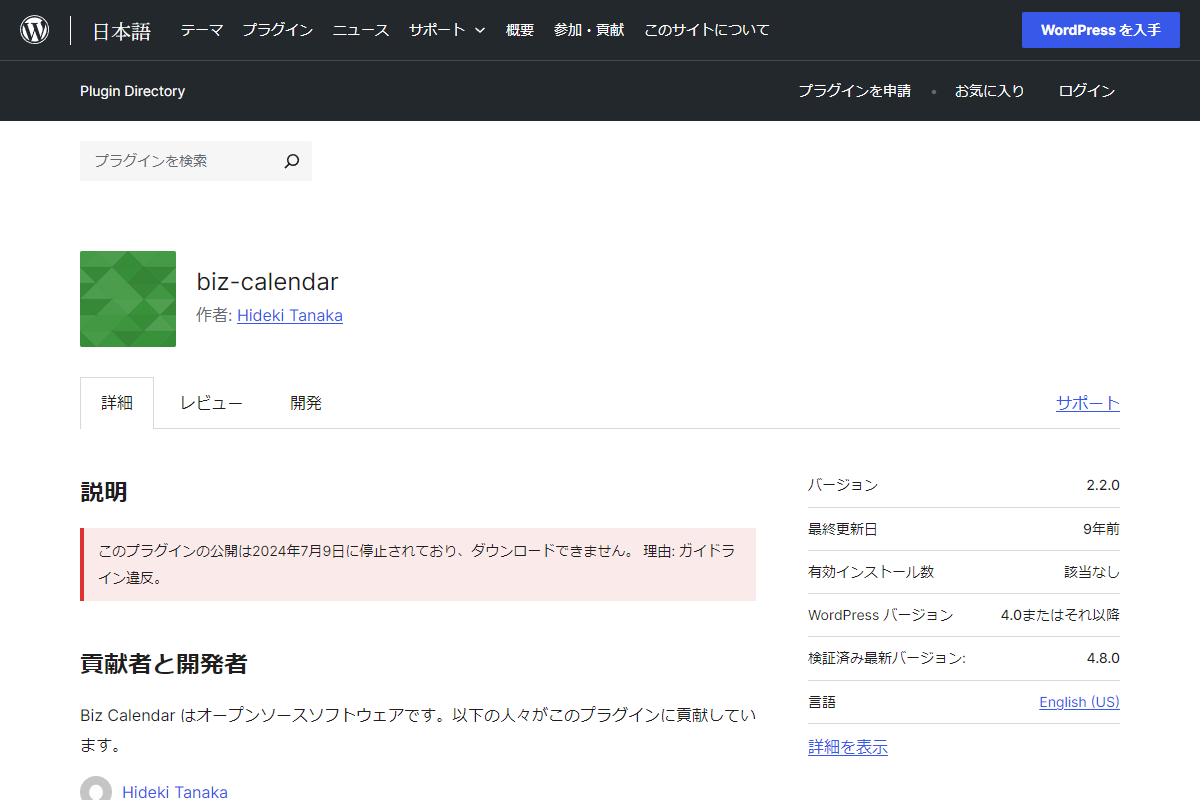
プラグインの「Biz Calendar」を使えば、簡単に休日だけをカレンダー表示することが可能でした。
しかし、残念ながら現在はダウンロードが停止されているようです。
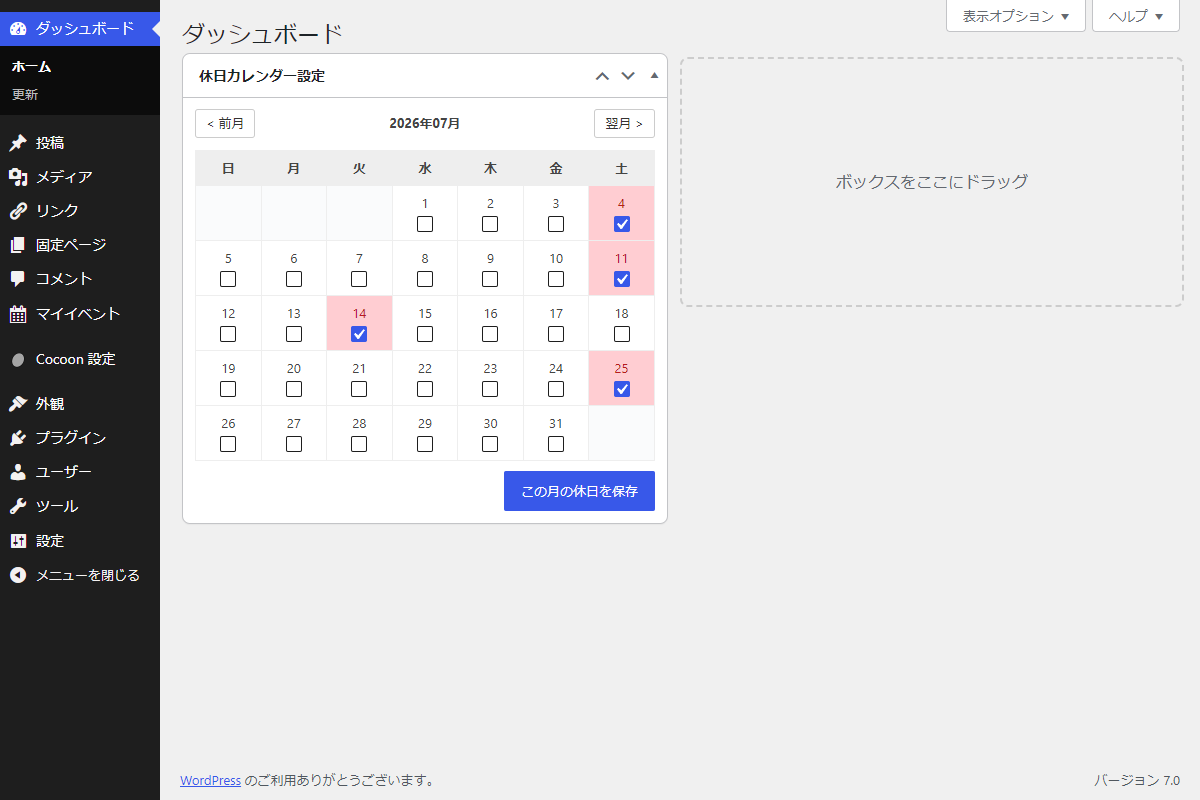
そこで、プラグインを使用せず、日頃必ず目にするWordPressのダッシュボード上に「休日カレンダーウィジェット」を追加し、手軽に休日を設定・表示します。
この記事では、この方法について説明します。
完成イメージ
使用方法
以下にショートコードを示します。
[my_holiday_calendar]実装手順
以下のコードをfunctions.phpに追加します。
// ダッシュボードウィジェットを追加
add_action('wp_dashboard_setup', function () {
wp_add_dashboard_widget(
'holiday-calendar',
'休日カレンダー設定',
'render_holiday_calendar'
);
});
/**
* ダッシュボードにウィジェットを出力
*
* @return void
*/
if (!function_exists('render_holiday_calendar')):
function render_holiday_calendar() {
if (isset($_POST['holiday_calendar_nonce']) && wp_verify_nonce($_POST['holiday_calendar_nonce'], 'holiday_calendar_action')) {
$current_ym = sanitize_text_field($_POST['target_ym']);
$saved_holidays = get_option('my_holiday_calendar', []);
if (isset($_POST['holidays'][$current_ym])) {
$saved_holidays[$current_ym] = array_map('intval', $_POST['holidays'][$current_ym]);
} else {
unset($saved_holidays[$current_ym]);
}
update_option('my_holiday_calendar', $saved_holidays);
echo '<div class="notice notice-success is-dismissible" style="margin: 5px 0;"><p>休日を設定しました。</p></div>';
}
$target_ym = isset($_GET['holiday_ym']) ? sanitize_text_field($_GET['holiday_ym']) : date('Y-m');
echo generate_holiday_calendar_html($target_ym, 'admin');
}
endif;
/**
* カレンダーHTMLを生成
*
* @param string $target_ym 対象年月
* @param string $mode 表示モード(admin:管理画面、front:フロント画面)
* @return string カレンダーHTML
*/
if (!function_exists('generate_holiday_calendar_html')):
function generate_holiday_calendar_html($target_ym, $mode = 'front') {
if (!preg_match('/^\d{4}-\d{2}$/', $target_ym)) {
$target_ym = date('Y-m');
}
$saved_holidays = get_option('my_holiday_calendar', []);
$current_holidays = isset($saved_holidays[$target_ym]) ? $saved_holidays[$target_ym] : [];
$timestamp = strtotime($target_ym . '-01');
$prev_ym = date('Y-m', strtotime('-1 month', $timestamp));
$next_ym = date('Y-m', strtotime('+1 month', $timestamp));
$day_count = date('t', $timestamp);
$youbi = date('w', $timestamp);
ob_start();
?>
<div class="holiday-calendar holiday-calendar--<?= esc_attr($mode); ?>">
<div class="holiday-calendar__nav">
<?php if ($mode === 'admin'): ?>
<a href="<?= esc_url(admin_url('index.php?holiday_ym=' . $prev_ym)); ?>" class="holiday-calendar__nav-btn">< 前月</a>
<span class="holiday-calendar__title"><?= esc_html(date('Y年m月', $timestamp)); ?></span>
<a href="<?= esc_url(admin_url('index.php?holiday_ym=' . $next_ym)); ?>" class="holiday-calendar__nav-btn">翌月 ></a>
<?php else : ?>
<button type="button" class="holiday-calendar__nav-btn js-holiday-cal-btn" data-ym="<?= esc_attr($prev_ym); ?>">< 前月</button>
<span class="holiday-calendar__title"><?= esc_html(date('Y年m月', $timestamp)); ?></span>
<button type="button" class="holiday-calendar__nav-btn js-holiday-cal-btn" data-ym="<?= esc_attr($next_ym); ?>">翌月 ></button>
<?php endif; ?>
</div>
<?php if ($mode === 'admin'): ?>
<form method="post" action="<?= esc_url(admin_url('index.php?holiday_ym=' . $target_ym)); ?>">
<?php wp_nonce_field('holiday_calendar_action', 'holiday_calendar_nonce'); ?>
<input type="hidden" name="target_ym" value="<?= esc_attr($target_ym); ?>">
<?php endif; ?>
<table class="holiday-calendar__table">
<thead>
<tr><th>日</th><th>月</th><th>火</th><th>水</th><th>木</th><th>金</th><th>土</th></tr>
</thead>
<tbody>
<tr>
<?php
for ($i = 0; $i < $youbi; $i++) {
echo '<td class="holiday-calendar__day--empty"></td>';
}
for ($day = 1; $day <= $day_count; $day++) {
if ($youbi === 0 && $day > 1) {
echo '<tr>';
}
$is_holiday = in_array($day, $current_holidays, true);
$td_class = $is_holiday ? 'holiday-calendar__day--holiday' : '';
echo "<td class='{$td_class}'>";
if ($mode === 'admin') {
$is_checked = $is_holiday ? 'checked' : '';
echo "<label>" . esc_html($day) . "<br>";
echo "<input type='checkbox' name='holidays[" . esc_attr($target_ym) . "][]' value='" . esc_attr($day) . "' {$is_checked}>";
echo "</label>";
} else {
echo esc_html($day);
}
echo "</td>";
$youbi++;
if ($youbi === 7) {
echo '</tr>';
$youbi = 0;
}
}
if ($youbi !== 0) {
for ($i = $youbi; $i < 7; $i++) {
echo '<td class="holiday-calendar__day--empty"></td>';
}
echo '</tr>';
}
?>
</tbody>
</table>
<?php if ($mode === 'admin'): ?>
<div class="holiday-calendar__submit">
<input type="submit" class="button button-primary" value="この月の休日を保存">
</div>
</form>
<?php endif; ?>
</div>
<?php
return ob_get_clean();
}
endif;
// ショートコードを追加
add_shortcode('my_holiday_calendar', function () {
ob_start();
?>
<div class="holiday-calendar-wrapper">
<?= generate_holiday_calendar_html(date('Y-m'), 'front'); ?>
</div>
<?php
return ob_get_clean();
});
/**
* 該当月のカレンダーを表示
*
* @return void
*/
if (!function_exists('holiday_calendar_callback')):
function holiday_calendar_callback() {
if (!isset($_POST['holiday_calendar_nonce']) || !wp_verify_nonce($_POST['holiday_calendar_nonce'], 'holiday_calendar_action')) {
wp_send_json_error('Invalid nonce', 403);
}
$ym = isset($_POST['ym']) ? sanitize_text_field($_POST['ym']) : date('Y-m');
echo generate_holiday_calendar_html($ym, 'front');
wp_die();
}
endif;
// Ajaxアクションを追加
add_action('wp_ajax_holiday_calendar', 'holiday_calendar_callback');
add_action('wp_ajax_nopriv_holiday_calendar', 'holiday_calendar_callback');
// 管理画面用JS・CSSを追加
add_action('admin_enqueue_scripts', function ($hook_suffix) {
if ($hook_suffix !== 'index.php') {
return;
}
wp_add_inline_style('wp-admin', get_holiday_calendar_css());
});
// フロント用JS・CSSを追加
add_action('wp_enqueue_scripts', function () {
$handle = 'holiday-calendar';
wp_register_style($handle, false);
wp_enqueue_style($handle);
wp_add_inline_style($handle, get_holiday_calendar_css());
$ajax_url = admin_url('admin-ajax.php');
$ajax_nonce = wp_create_nonce('holiday_calendar_action');
// 前月・翌月のカレンダーを置換
ob_start();
?>
jQuery(function ($) {
$(document).on("click", ".js-holiday-cal-btn", function (e) {
e.preventDefault();
var $button = $(this);
var ym = $button.data("ym");
$.ajax({
url: "<?= esc_url($ajax_url); ?>",
type: "POST",
data: {
action: "holiday_calendar",
ym: ym,
holiday_calendar_nonce: "<?= esc_attr($ajax_nonce); ?>"
},
success: function (response) {
$button.closest(".holiday-calendar-wrapper").html(response);
}
});
});
});
<?php
wp_add_inline_script('jquery', ob_get_clean());
});
/**
* CSSを生成
*
* @return string 生成されたCSS文字列
*/
if (!function_exists('get_holiday_calendar_css')):
function get_holiday_calendar_css() {
ob_start();
?>
.holiday-calendar {
border: 1px solid #ddd;
border-radius: 4px;
max-width: 100%;
padding: 12px;
&.holiday-calendar--admin {
border: none;
padding: 0;
}
.holiday-calendar__nav {
align-items: center;
display: flex;
justify-content: space-between;
margin-bottom: 12px;
}
.holiday-calendar__nav-btn {
background-color: #fff;
border: 1px solid #ccc;
border-radius: 3px;
color: #333;
cursor: pointer;
padding: 4px 10px;
text-decoration: none;
}
.holiday-calendar__title {
font-weight: bold;
}
.holiday-calendar__table {
border-collapse: collapse;
table-layout: fixed;
text-align: center;
width: 100%;
th,
td {
border: 1px solid #eee;
padding: 8px 2px;
}
th {
background-color: #eee;
}
td {
label {
display: block;
}
input[type="checkbox"] {
margin: 2px 0 0 0;
vertical-align: middle;
}
}
}
.holiday-calendar__day--holiday {
background-color: #ffcdd2;
color: #b71c1c;
}
.holiday-calendar__day--empty {
background-color: #fafbfc;
}
.holiday-calendar__submit {
margin-top: 10px;
text-align: right;
}
}
<?php
return ob_get_clean();
}
endif;さいごに
今回紹介した方法を使えば、プラグインを使わずに、ダッシュボードから一括管理できる休日カレンダーを実装できます。
複数設置の要件にも安全に応えられる設計ですので、ぜひビジネスサイトのカスタマイズに役立ててください。