はじめに

以下のショートコードにページネーションを追加し、全件数も表示します。
- 新着記事
- 新着情報
- 人気記事
この記事では、この方法について説明します。

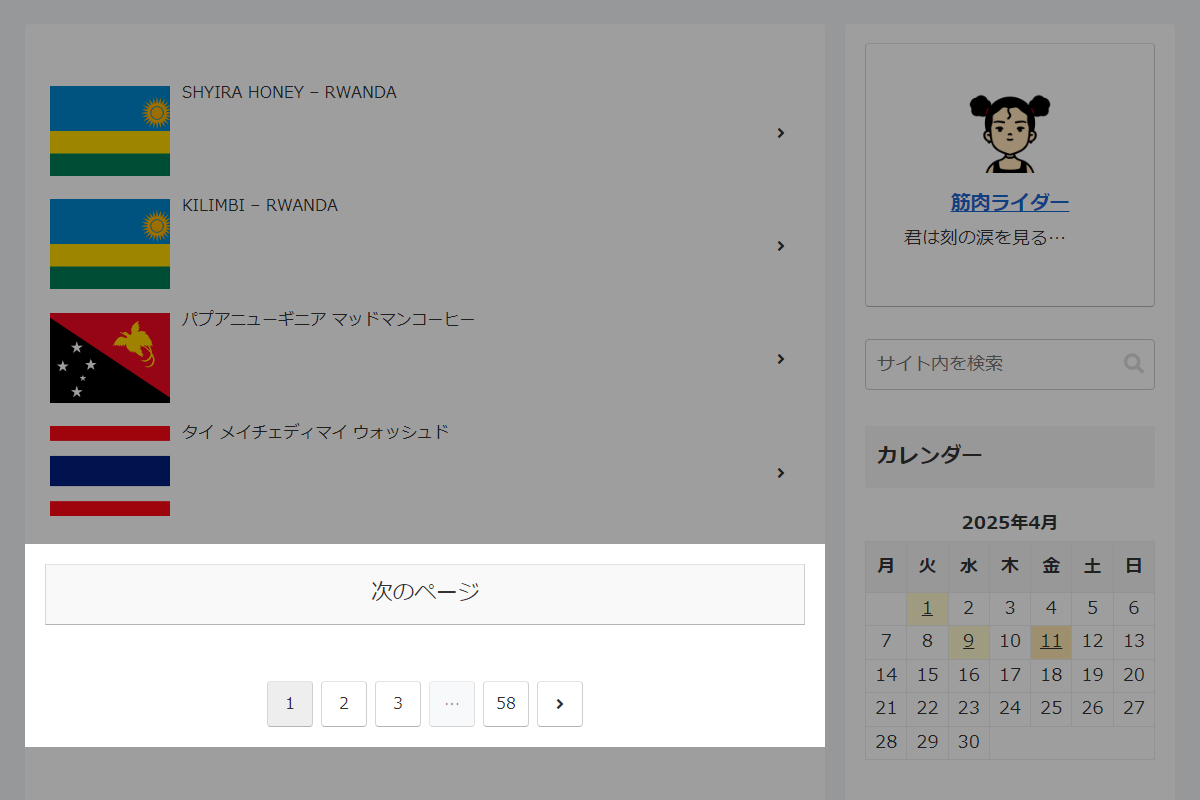
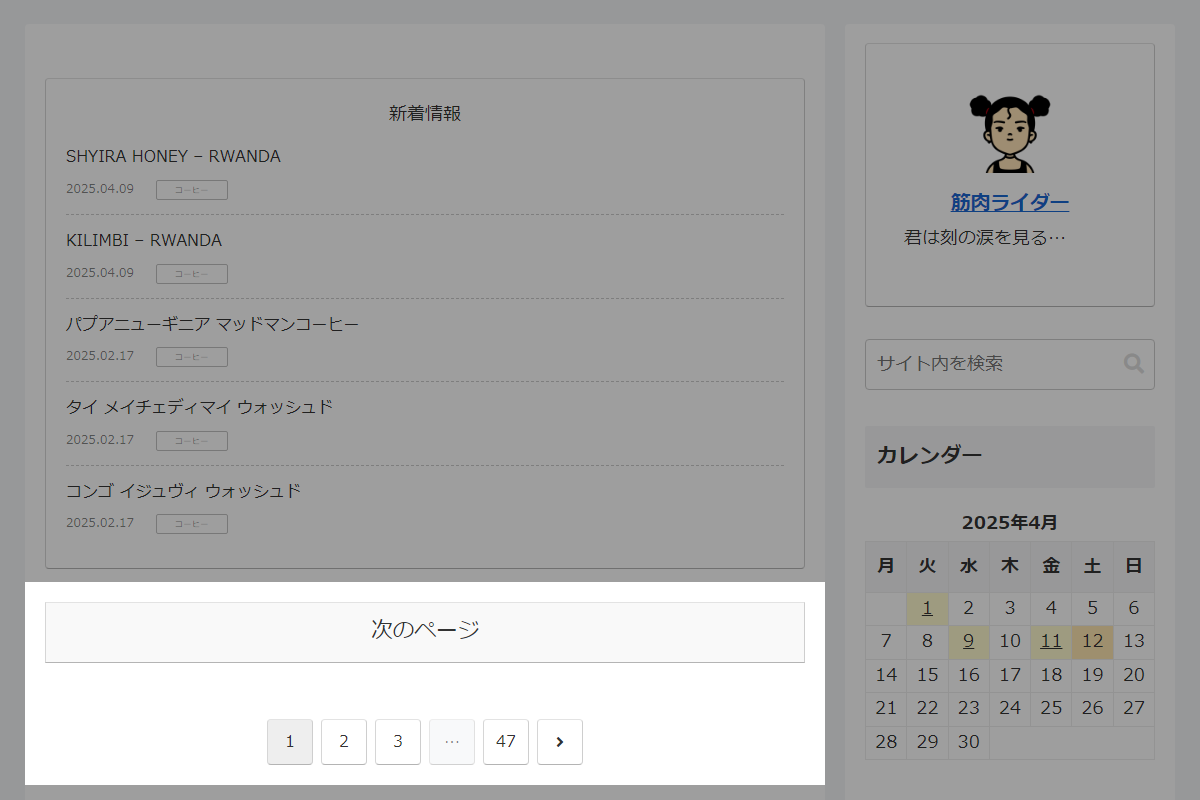
完成イメージ
使用方法
actionオプションを追加します。
- 新着記事
[new_list action="page"]- 新着情報
[info_list action="page"]- 人気記事
[popular_list action="page"]実装手順
以下の手順で実装します。
/**
 * ページネーションを生成
 *
 * @param int $paged 現在のページ番号
 * @param int $max_pages 最大ページ番号
 * @param string $page_key ページ番号を表すクエリキー
 * @return string ページネーションHTML
 */
if (!function_exists('custom_pagination')):
function custom_pagination($paged, $max_pages, $page_key = 'page') {
  // 1ページ以下なら終了
  if ($max_pages < 2) {
    return '';
  }

  // 現在のURLを取得
  $current_url = $_SERVER['REQUEST_URI'];

  // 次ページのURLを生成
  $next_page = $paged + 1;
  $next_url  = remove_query_arg($page_key, $current_url);
  $next_url  = add_query_arg($page_key, $next_page, $next_url);

  // ページネーションのベースURLを生成
  $base = remove_query_arg($page_key, $current_url);
  $base = add_query_arg($page_key, '%#%', $base);

  // ページネーションを生成
  $pagination = paginate_links([
    'total'     => $max_pages,
    'current'   => $paged,
    'base'      => $base,
    'format'    => '',
    'add_args'  => false,
    'prev_text' => '<span class="screen-reader-text">' . __('前へ', THEME_NAME) . '</span><span class="fa fa-angle-left" aria-hidden="true"></span>',
    'next_text' => '<span class="screen-reader-text">' . __('次へ', THEME_NAME) . '</span><span class="fa fa-angle-right" aria-hidden="true"></span>',
  ]);

  ob_start();
  ?>
  <div class="pagination-wrapper">
    <?php if ($paged < $max_pages): ?>
      <div class="pagination-next">
        <a href="<?= esc_url($next_url); ?>" class="pagination-next-link key-btn">
          <?= apply_filters('pagination_next_link_caption', __('次のページ', THEME_NAME)); ?>
        </a>
      </div>
    <?php endif; ?>

    <?php if ($pagination): ?>
      <div class="pagination">
        <?= $pagination; ?>
      </div>
    <?php endif; ?>
  </div>
  <?php
  return ob_get_clean();
}
endif;


/**
 * ショートコード用のインスタンスIDとページ番号を取得
 *
 * @param string $base_key インスタンスのベースキー
 * @return array [$instance_id, $paged]
 */
if (!function_exists('get_shortcode_pagination_instance')):
function get_shortcode_pagination_instance($base_key) {
  static $instances = [];

  // インスタンスカウンタを初期化
  if (!isset($instances[$base_key])) {
    $instances[$base_key] = 0;
  } else {
    $instances[$base_key]++;
  }

  // インスタンスIDを生成
  $instance_id = $base_key . '_' . $instances[$base_key];

  // URLから現在ページを取得
  $paged = isset($_GET[$instance_id]) ? max(1, intval($_GET[$instance_id])) : 1;

  return [$instance_id, $paged];
}
endif;


// ショートコードHTMLの出力を変更
add_filter('do_shortcode_tag', function ($output, $tag, $attr) {
  if (!isset($attr['action']) || $attr['action'] !== 'page') {
    return $output;
  }

  // 対象タグを確認
  if (!in_array($tag, ['new_list', 'info_list', 'popular_list'], true)) {
    return $output;
  }

  static $instances_args = [];

  // インスタンスIDと現在ページを取得
  list($instance_id, $paged) = get_shortcode_pagination_instance($tag);

  // 属性を初回保存
  if (!isset($instances_args[$instance_id])) {
    $instances_args[$instance_id] = $attr;
  }

  $attr = $instances_args[$instance_id];

  // offsetを計算
  $count          = isset($attr['count']) ? intval($attr['count']) : 5;
  $attr['offset'] = $count * ($paged - 1);

  // 最大ページ数を取得
  $max_pages = 1;

  if ($tag === 'popular_list') {
    $days             = $attr['days']      ?? 'all';
    $entry_type       = $attr['type']      ?? 'default';
    $children         = $attr['children']  ?? 0;
    $author           = $attr['author']    ?? null;
    $post_type        = $attr['post_type'] ?? 'post';
    $snippet          = $attr['snippet']   ?? 0;
    $cat_ids          = (!empty($attr['cats']) && $attr['cats'] !== 'all') ? explode(',', $attr['cats']) : [];
    $exclude_post_ids = !empty($attr['ex_posts']) ? explode(',', $attr['ex_posts']) : [];
    $exclude_cat_ids  = !empty($attr['ex_cats'])  ? explode(',', $attr['ex_cats'])  : [];

    $all_records = get_access_ranking_records($days, 9999, $entry_type, $cat_ids, $exclude_post_ids, $exclude_cat_ids, $children, $author, $post_type, $snippet);

    $total     = is_array($all_records) ? count($all_records) : 0;
    $max_pages = ceil($total / $count);
  } else {
    $query_args                   = $attr;
    $query_args['posts_per_page'] = $count;
    $query_args['paged']          = $paged;
    unset($query_args['offset']);

    $query     = new WP_Query($query_args);
    $max_pages = $query->max_num_pages;
    wp_reset_postdata();
  }

  // 一覧を出力
  switch ($tag) {
    case 'new_list':
      $output = new_entries_shortcode($attr);
      break;

    case 'info_list':
      $output = get_info_list_shortcode($attr);
      break;

    case 'popular_list':
      $output = popular_entries_shortcode($attr);
      break;
  }

  // ページネーションを生成
  if ($max_pages > 1) {
    $output .= custom_pagination($paged, $max_pages, $instance_id);
  }

  wp_reset_postdata();

  return $output;
}, 10, 3);
補足
offsetオプションを利用してページ切り替えが可能です。
その際、do_shortcode_tag()を用いて、ショートコードの出力時にページネーションを挿入します。
参考:「クエリーループ」ブロックを利用
「クエリーループ」ブロックなどを活用すれば、ブロックの機能だけでページネーションを追加することが可能です。

さいごに
今回紹介した方法を使えば、ショートコードで出力される記事リストにページネーションを簡単に追加できます。
「次のページ」リンクや通常のページ送りも実装できるため、ユーザーにとっても見やすく、操作しやすい一覧表示が可能になります。