
はじめに
以下を実現します。

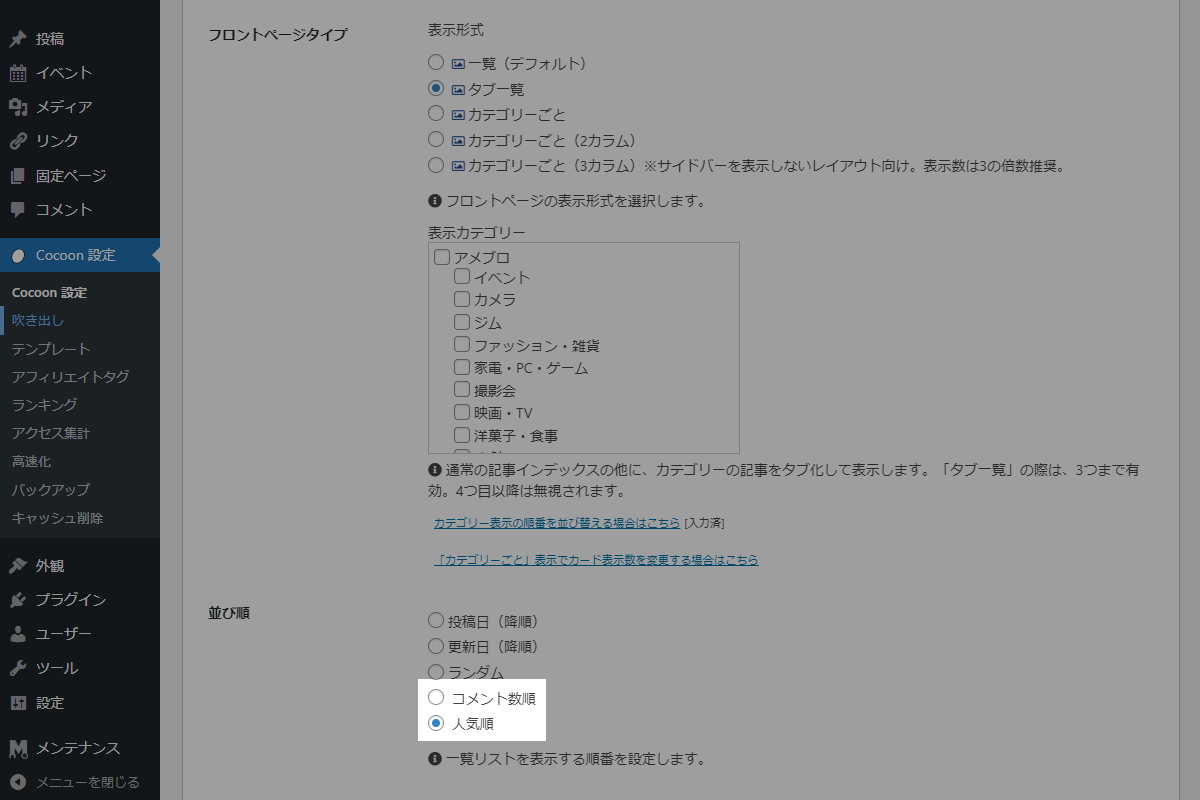
Cocoon設定→インデックス→並び順では、現在「投稿日」「更新日」「ランダム」が選択できます。
今回は、以下の機能を拡張し、管理画面の並び順に「コメント数順」と「人気順」を追加することで、投稿一覧を自由に並び替えられるようにします。
この記事では、この方法について説明します。

完成イメージ
実装手順
以下の手順で実装します。
- ラベルPHPを追加(Cocoon設定)
以下のコードをfunctions.phpに追加します。
add_filter('admin_input_form_tag', function ($res, $name) { if ($name !== OP_INDEX_SORT_ORDERBY) { return $res; } $now_value = get_index_sort_orderby(); $checked = function ($value, $now_value) { return $value === $now_value ? ' checked' : ''; }; ob_start(); ?> <li> <input type="radio" name="index_sort_orderby" id="index_sort_orderby_3" value="comment"<?= $checked('comment', $now_value); ?>> <label for="index_sort_orderby_3">コメント数順</label> </li> <li> <input type="radio" name="index_sort_orderby" id="index_sort_orderby_4" value="popular"<?= $checked('popular', $now_value); ?>> <label for="index_sort_orderby_4">人気順</label> </li> <?php $add_html = ob_get_clean(); return str_replace('</ul>', $add_html . '</ul>', $res); }, 10, 2); - ラベルPHPを追加(表示順を変更)
以下のコードをfunctions.phpに追加します。
/** * 人気順、コメント数順共通処理 * * @param WP_Query|array $obj WP_Queryオブジェクトまたは配列引数 * @param int|null $cat_id カテゴリーID * @return void */ if (!function_exists('set_popular_or_comment_order')): function set_popular_or_comment_order(&$obj, $cat_id = null) { $orderby = get_index_sort_orderby(); switch ($orderby) { case 'popular': // 人気順の投稿IDを取得 $records = get_access_ranking_records('all', -1, 'post'); $popular_ids = wp_list_pluck($records, 'ID'); // 全投稿IDを取得 $query_args = [ 'post_type' => 'post', 'posts_per_page' => -1, 'fields' => 'ids', 'no_found_rows' => true, 'cache_results' => false, ]; if ($cat_id) { $query_args['cat'] = $cat_id; } $all_query = new WP_Query($query_args); $all_ids = $all_query->posts; // 人気順と全投稿のIDを統合 $merged_ids = array_unique(array_merge($popular_ids, $all_ids)); // 投稿順を設定 if ($obj instanceof WP_Query) { $obj->set('post__in', $merged_ids); $obj->set('orderby', 'post__in'); } elseif (is_array($obj)) { $obj['post__in'] = $merged_ids; $obj['orderby'] = 'post__in'; $obj['order'] = 'DESC'; } break; case 'comment': // コメント数順を設定 if ($obj instanceof WP_Query) { $obj->set('orderby', ['comment_count' => 'DESC', 'date' => 'DESC']); } elseif (is_array($obj)) { $obj['orderby'] = ['comment_count' => 'DESC', 'date' => 'DESC']; $obj['order'] = 'DESC'; } break; default: // 指定された並び順を設定 if ($obj instanceof WP_Query) { $obj->set('orderby', $orderby); } elseif (is_array($obj)) { $obj['orderby'] = $orderby; } break; } } endif; /** * メインクエリのpre_get_posts関数(オーバーライド) * * @param WP_Query $query WP_Queryオブジェクト * @return void */ if (!function_exists('custom_main_query_pre_get_posts')): function custom_main_query_pre_get_posts($query) { if (is_admin()) { return; } // メインクエリの並び順を設定 if ($query->is_main_query()) { if (!is_index_sort_orderby_date() && !is_search()) { set_popular_or_comment_order($query); } // 除外カテゴリーを取得 $exclude_category_ids = get_archive_exclude_category_ids(); if (!is_singular() && $exclude_category_ids && is_array($exclude_category_ids)) { $query->set('category__not_in', $exclude_category_ids); } // 除外投稿を設定 $exclude_post_ids = get_archive_exclude_post_ids(); if (!is_singular() && $exclude_post_ids && is_array($exclude_post_ids)) { $query->set('post__not_in', $exclude_post_ids); } } // フィードの除外投稿を取得 if ($query->is_feed) { $exclude_post_ids = get_rss_exclude_post_ids(); // フィードの除外投稿を設定 if ($exclude_post_ids && is_array($exclude_post_ids)) { $query->set('post__not_in', $exclude_post_ids); } } } endif; // 新着記事(カテゴリーごと) add_filter('get_category_index_list_entry_card_args', function ($args, $cat_id) { set_popular_or_comment_order($args, $cat_id); return $args; }, 10, 2); // タブ一覧(カテゴリーごと) add_filter('list_category_tab_args', function ($args, $cat_id) { set_popular_or_comment_order($args, $cat_id); return $args; }, 10, 2); // カテゴリーごと(2、3カラム) add_filter('list_category_column_atts', function ($atts) { $atts['action'] = get_index_sort_orderby(); return $atts; }); add_filter('widget_entries_args', function ($args) { if (isset($args['action'])) { set_popular_or_comment_order($args); } return $args; }); - ラベルPHPを追加(エントリーカードにPV数表示)
以下のコードをfunctions.phpに追加します。
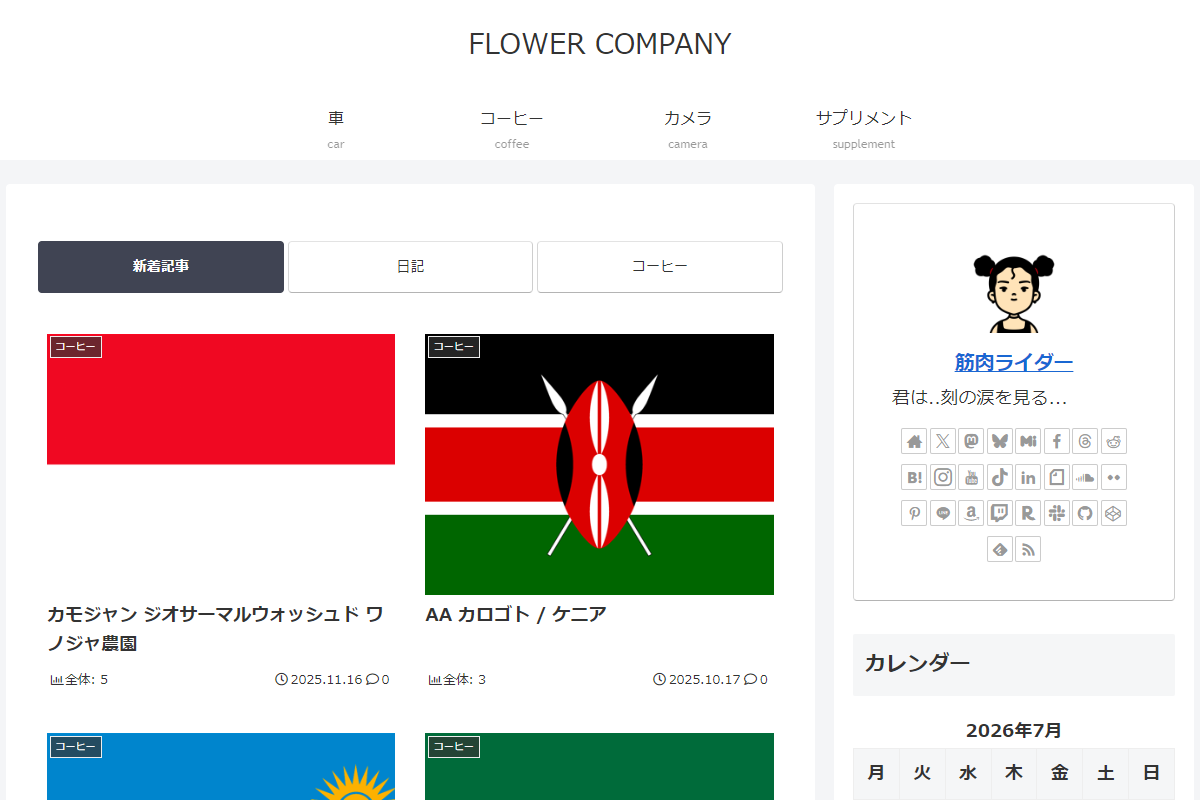
人気順の場合、エントリーカードにPV数を表示します。add_filter('public_page_entry_card_pv_visible', function () { return get_index_sort_orderby() === 'popular'; }); - ラベルCSSを追加
以下のコードをstyle.cssに追加します。
.entry-card .admin-pv {
  bottom: 0;
  display: flex;
  font-size: 0.7em;
  left: 0;
  line-height: 1;
  margin: 0;
  padding: 2px;
  position: absolute;
}

.entry-card :is(.today-pv, .week-pv, .month-pv, .month-pv) {
  display: none;
}
さいごに
今回紹介した方法を使えば、インデックスの投稿並び順に「コメント数順」と「人気順」を簡単に追加できます。
管理画面のラジオボタンから選択可能にし、新着記事、カテゴリータブ、2~3カラム表示、ウィジェットにも反映できます。
