
はじめに
通常の投稿にはページ送りナビが表示されますが、固定ページには表示されません。
しかし、固定ページでも、一覧表示のように階層構造やタイトル順に沿ってナビゲーションを表示したいという要望は少なくありません。
そこで、固定ページに対して、層構造とタイトル順に基づいたナビゲーションを追加します。
この記事では、この方法について説明します
完成イメージ
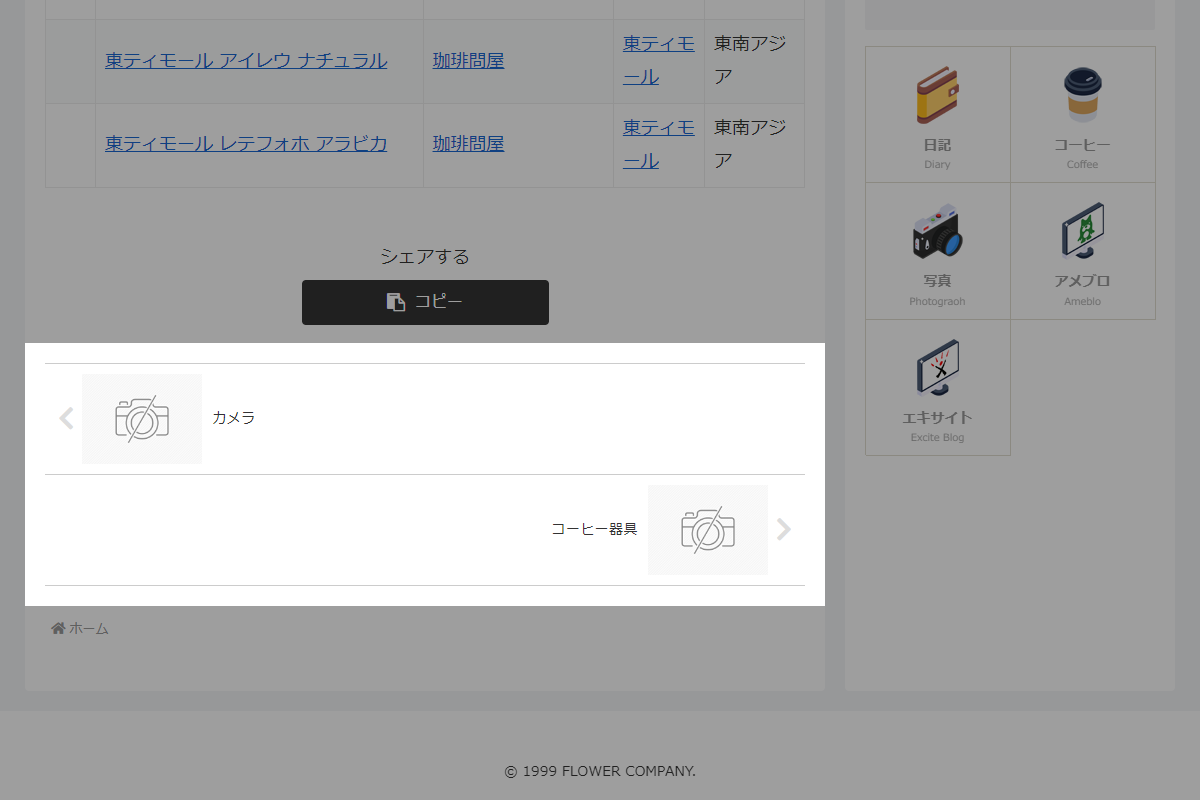
実装手順
以下の手順で実装します。
- ラベルCocoon設定
表1に示す項目を設定をします。
Cocoon設定 設定 大項目 項目 設定値 投稿 ページ送りナビ設定 ページ送りナビを表示する 表示タイプ ページ送りナビの枠線を表示する - ラベルPHPを追加
以下のコードをfunctions.phpに追加します。
// テンプレート(コンテンツ)の直後に追加
add_action('cocoon_part_after__tmp/content', function () {
  if (!is_page() || !is_post_navi_visible()) {
    return;
  }

  $post_id = get_the_ID();
  $front_page_id = (int) get_option('page_on_front');

  // フロントページは処理対象外
  if ($post_id === $front_page_id) {
    return;
  }

  // ページ送りナビを出力
  render_page_post_navi($post_id);
});


/**
 * ページ送りナビを出力
 *
 * @param int $post_id 投稿ID
 * @return void
 */
if (!function_exists('render_page_post_navi')):
function render_page_post_navi($post_id) {
  // 前後ページのIDを取得
  $prev_id = my_get_adjacent_page_id($post_id, 'prev');
  $next_id = my_get_adjacent_page_id($post_id, 'next');

  // 前後ページなしは処理対象外
  if (!$prev_id && !$next_id) {
    return;
  }

  $prevpost = $prev_id ? get_post($prev_id) : null;
  $nextpost = $next_id ? get_post($next_id) : null;

  // 前後ページなしは処理対象外
  if (!$prevpost && !$nextpost) {
    return;
  }

  // サムネイルサイズを設定
  $navi_type = get_post_navi_type();
  $is_square = ($navi_type === 'square');
  $width = $is_square ? THUMB150WIDTH : THUMB120WIDTH;
  $height = $is_square ? THUMB150HEIGHT : THUMB120HEIGHT;

  ?>
  <div id="pager-post-navi" class="pager-post-navi<?= esc_attr(get_additional_post_navi_classes()); ?> cf">

    <?php if ($prevpost): ?>
      <a href="<?= esc_url(get_permalink($prevpost->ID)); ?>" title="<?= esc_attr(get_the_title($prevpost->ID)); ?>" class="prev-post a-wrap border-element cf">
        <div class="fa fa-chevron-left iconfont" aria-hidden="true"></div>
        <figure class="prev-post-thumb card-thumb">
          <?= get_post_navi_thumbnail_tag($prevpost->ID, $width, $height); ?>
        </figure>
        <div class="prev-post-title"><?= esc_html(get_the_title($prevpost->ID)); ?></div>
      </a>
    <?php elseif ($is_square): ?>
      <a href="<?= esc_url(home_url('/')); ?>" id="prev-next-home" class="prev-next-home a-wrap">
        <span class="fa fa-home" aria-hidden="true"></span>
      </a>
    <?php endif; ?>

    <?php if ($nextpost): ?>
      <a href="<?= esc_url(get_permalink($nextpost->ID)); ?>" title="<?= esc_attr(get_the_title($nextpost->ID)); ?>" class="next-post a-wrap cf">
        <div class="fa fa-chevron-right iconfont" aria-hidden="true"></div>
        <figure class="next-post-thumb card-thumb">
          <?= get_post_navi_thumbnail_tag($nextpost->ID, $width, $height); ?>
        </figure>
        <div class="next-post-title"><?= esc_html(get_the_title($nextpost->ID)); ?></div>
      </a>
    <?php elseif ($is_square): ?>
      <a href="<?= esc_url(home_url('/')); ?>" id="prev-next-home" class="prev-next-home a-wrap">
        <span class="fa fa-home" aria-hidden="true"></span>
      </a>
    <?php endif; ?>

  </div>
  <?php
}
endif;


/**
 * 階層順(タイトル昇順)の前後ページIDを取得関数
 *
 * @param int $current_id 対象のページID
 * @param string $direction 'prev' または 'next'
 * @return int|null 隣接するページのID、存在しない場合はnull
 */
if (!function_exists('my_get_adjacent_page_id')):
function my_get_adjacent_page_id($current_id, $direction = 'next') {
  $front_page_id = (int) get_option('page_on_front');

  // 公開済みの固定ページを取得
  $all_pages = get_pages([
    'post_type' => 'page',
    'post_status' => 'publish',
    'sort_column' => 'post_title',
    'sort_order' => 'asc',
  ]);

  // 固定ページなしは処理対象外
  if (empty($all_pages)) {
    return null;
  }

  // 親IDごとにページを分類
  $pages_by_parent = [];
  foreach ($all_pages as $page) {
    if ((int) $page->ID === $front_page_id) {
      continue;
    }
    $pages_by_parent[(int) $page->post_parent][] = $page;
  }

  // 階層順のページIDを生成
  $ordered_ids = [];
  $add_pages_recursively = function ($parent_id) use (&$add_pages_recursively, $pages_by_parent, &$ordered_ids) {
    if (!empty($pages_by_parent[$parent_id])) {
      foreach ($pages_by_parent[$parent_id] as $child) {
        $ordered_ids[] = (int) $child->ID;
        $add_pages_recursively((int) $child->ID);
      }
    }
  };

  $add_pages_recursively(0);

  // 現在のページの位置を取得
  $index = array_search((int) $current_id, $ordered_ids, true);
  if ($index === false) {
    return null;
  }

  // 指定方向のページIDを取得
  return ($direction === 'prev')
    ? ($ordered_ids[$index - 1] ?? null)
    : ($ordered_ids[$index + 1] ?? null);
}
endif;
さいごに
今回紹介した方法を使えば、固定ページにも通常の投稿と同様に、階層構造やタイトル順に沿ったページ送りナビを表示することができます。サイトの構造を明確にし、ユーザーの回遊性を高める効果も期待できます。

