
はじめに
ユーザープロフィール画面から各ユーザーの投稿数を確認できます。
しかし、複数の執筆者や編集者がいるサイトでは、毎回プロフィールを開いて確認するのは手間がかかります。
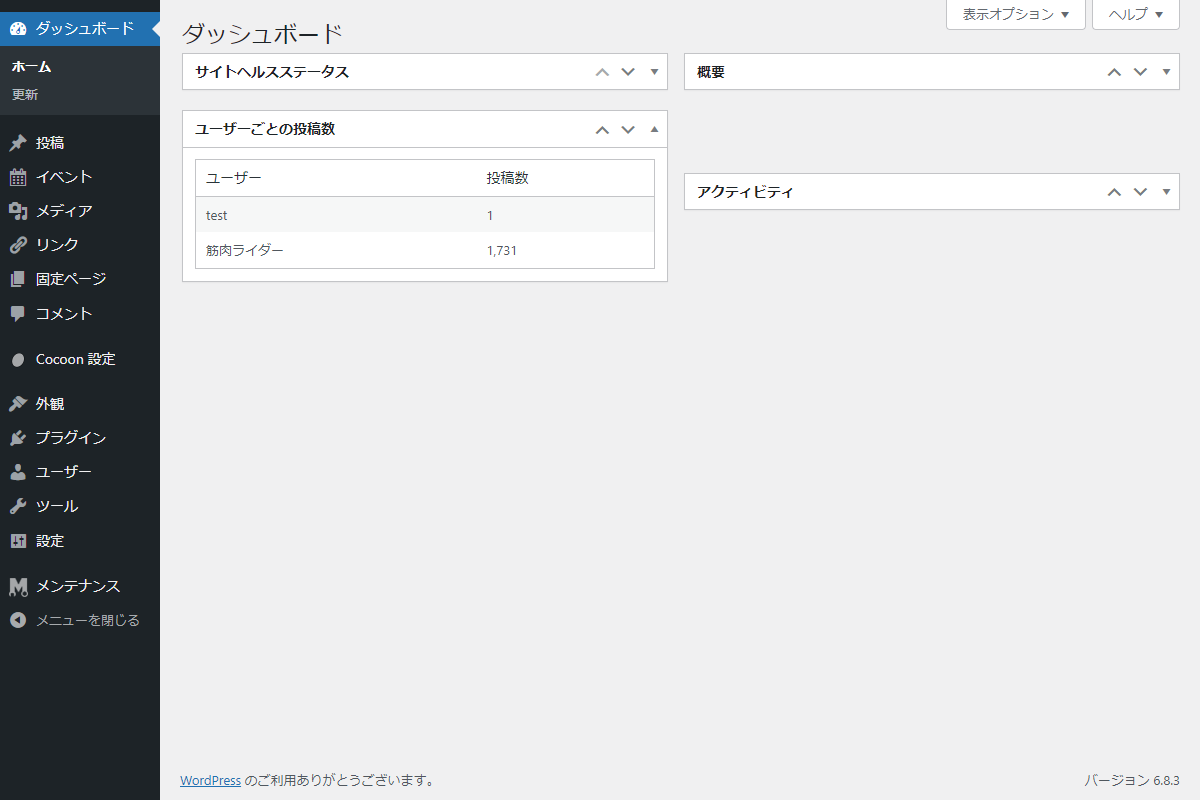
ダッシュボードに「ユーザーごとの投稿数」を一覧で表示すれば、ログイン直後に全体の投稿状況を一目で把握でき、運営効率が大幅に向上します。
この記事では、この方法について説明します。
完成イメージ
実装手順
以下のコードをfunctions.phpに追加します。
// ダッシュボードウィジェットを追加
add_action('wp_dashboard_setup', function () {
  wp_add_dashboard_widget(
    'user-post-count',
    'ユーザーごとの投稿数',
    'render_user_post_count'
  );
});


/**
 * ダッシュボードにウィジェットを出力
 *
 * @return void
 */
if (!function_exists('render_user_post_count')):
function render_user_post_count() {
  $users = get_users(['orderby' => 'display_name']);
  ?>
  <div class="user-post-count">
    <table class="user-post-count__table widefat striped">
      <thead>
        <tr>
          <th class="user-post-count__user">ユーザー</th>
          <th class="user-post-count__count">投稿数</th>
        </tr>
      </thead>
      <tbody>
        <?php foreach ($users as $user): ?>
          <tr class="user-post-count__row">
            <td class="user-post-count__user"><?= esc_html($user->display_name); ?></td>
            <td class="user-post-count__count"><?= number_format(count_user_posts($user->ID)); ?></td>
          </tr>
        <?php endforeach; ?>
      </tbody>
    </table>
  </div>
  <?php
}
endif;
さいごに
今回紹介した方法を使えば、ダッシュボードにユーザーごとの投稿数を表示するウィジェットを簡単に追加できます。
プロフィールを開かずに執筆状況を確認できるため、チームでの投稿管理や進捗把握に非常に便利です。
運営者や編集者が日常的に状況をチェックしやすくなり、サイト全体の管理がよりスムーズになります。