
目次
投稿タイトルの表記を変更する方法
パスワード保護された投稿タイトル
パスワード保護された投稿のタイトルに「保護中:」という接頭辞が自動的に追加されます。
「保護中:」という文字を削除し、代わりにエントリーカードや投稿タイトルの前にアイコンを表示するように変更します。
完成イメージ

実装手順
以下の手順で実装します。
- ラベルPHPを追加
以下のコードをfunctions.phpに追加します。
add_filter('protected_title_format', function ($prepend, $post) { return '%s'; }, 10, 2); - ラベルCSSを追加
以下のコードをstyle.cssに追加します。
/* 施錠アイコン */
.post-password-required {
  .card-title,
  .info-list-item-content-link,
  .entry-title {
    &::before {
      content: '\f023';
      font-family: 'Font Awesome 5 Free';
      font-weight: bold;
      margin-right: 0.5em;
    }
  }
}

/* 開錠アイコン */
.post-password-protected {
  .card-title,
  .info-list-item-content-link,
  .entry-title {
    &::before {
      content: '\f09c';
      font-family: 'Font Awesome 5 Free';
      font-weight: bold;
      margin-right: 0.5em;
    }
  }
}
非公開とした投稿タイトル
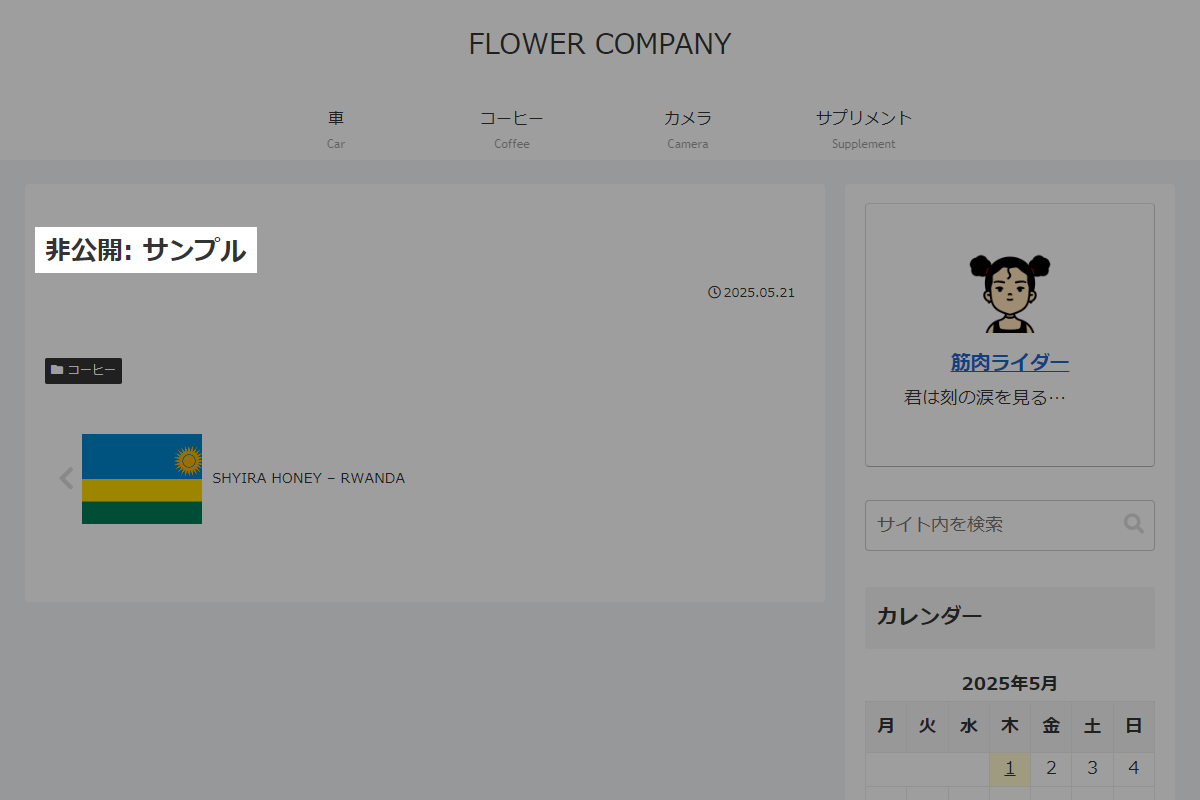
非公開に設定された投稿のタイトルには、デフォルトで「非公開:」という接頭辞が自動的に追加されます(図2参照)。
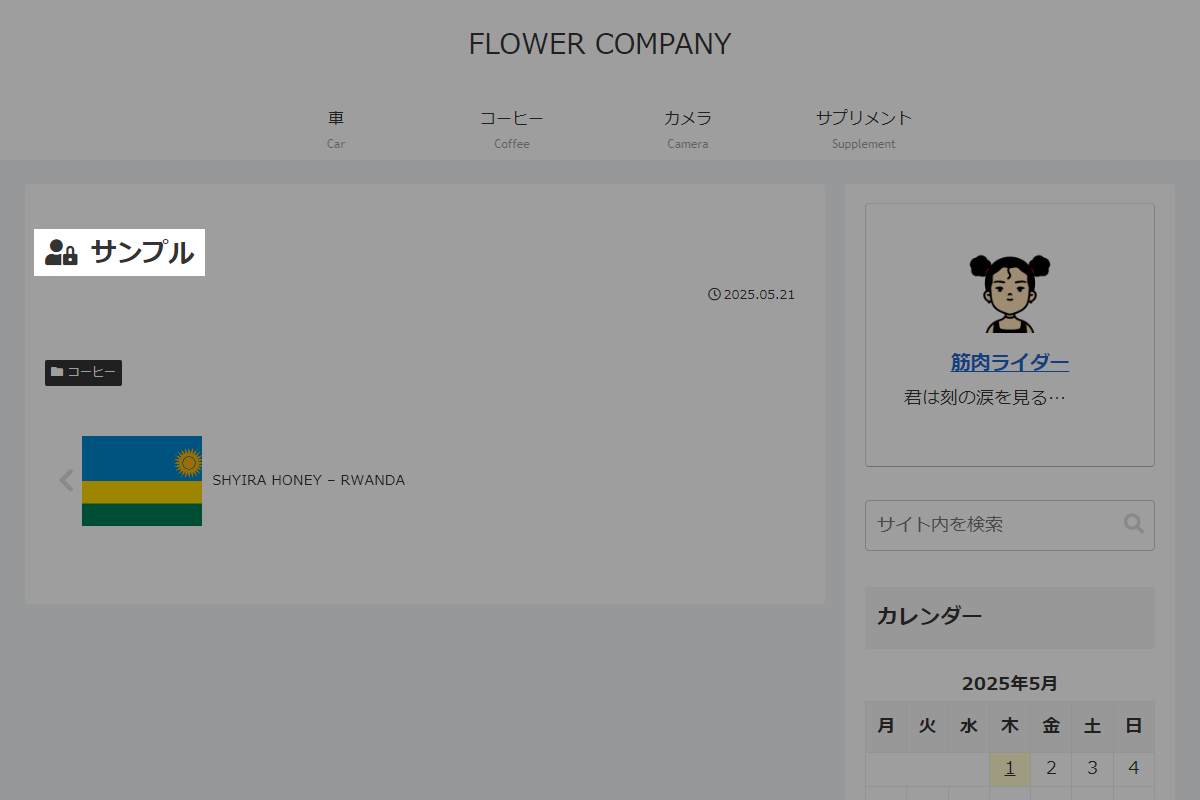
「非公開」という文字を削除し、代わりにエントリーカードや投稿タイトルの前にアイコンを表示するように変更します。
完成イメージ
実装手順
以下の手順で実装します。
- ラベルPHPを追加
以下のコードをfunctions.phpに追加します。
add_filter('private_title_format', function ($prepend, $post) { return '%s'; }, 10, 2); - ラベルCSSを追加
以下のコードをstyle.cssに追加します。
.status-private {
  .card-title,
  .info-list-item-content-link,
  .entry-title {
    &::before {
      content: '\f502';
      font-family: 'Font Awesome 5 Free';
      font-weight: bold;
      margin-right: 0.5em;
    }
  }
}
ページ送りボタンの投稿タイトル
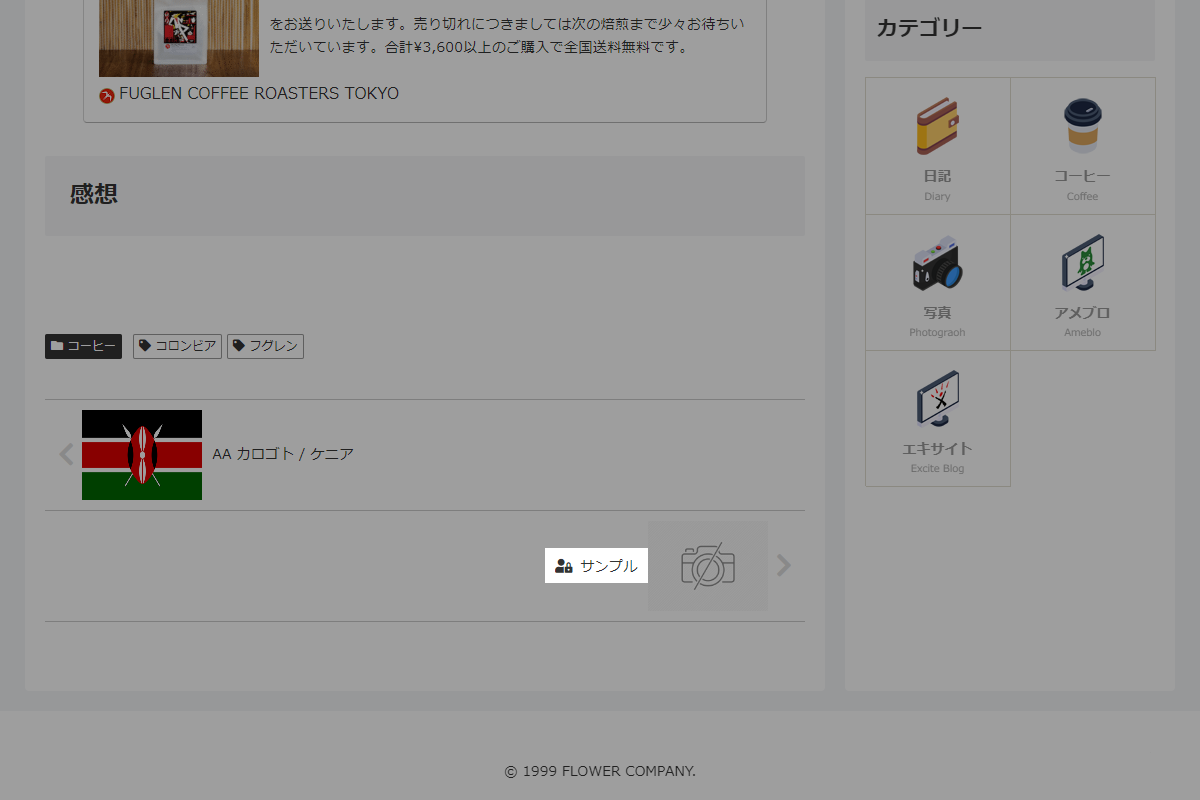
ページ送りボタンも同様に、接頭辞の代わりに投稿タイトルの前にアイコンを表示するように変更します。
完成イメージ
実装手順
以下の手順で実装します。
- ラベルPHPを追加
以下のコードをfunctions.phpに追加します。
/** * 投稿オブジェクトからステータスに応じたクラスを返す * * @param WP_Post|null $post_obj 投稿オブジェクト * @return string ステータスクラス(該当しない場合は空文字) */ if (!function_exists('get_post_status_class')): function get_post_status_class($post_obj) { if (!$post_obj) { return ''; } // パスワード保護された投稿 if (post_password_required($post_obj->ID)) { return ' status-protected'; } // 非公開の投稿 if (get_post_status($post_obj->ID) === 'private') { return ' status-private'; } return ''; } endif; // テンプレート(ページ送りナビ)を変更 add_filter('cocoon_part__tmp/pager-post-navi', function ($content) { // 前後の投稿を取得 $posts = [ 'prev' => get_adjacent_post(false, '', true), 'next' => get_adjacent_post(false, '', false), ]; foreach ($posts as $key => $post_obj) { $class = get_post_status_class($post_obj); if ($class) { // 対象の投稿タイトルにステータスクラスを追加 $content = preg_replace( '/class="' . $key . '-post-title"/', 'class="' . $key . '-post-title' . esc_attr($class) . '"', $content ); } } return $content; }, 20); - ラベルCSSを追加
以下のコードをstyle.cssに追加します。
/* パスワード保護アイコン */
.status-protected {
  &.prev-post-title,
  &.next-post-title {
    &::before {
      content: '\f023';
      font-family: 'Font Awesome 5 Free';
      font-weight: bold;
      margin-right: 0.5em;
    }
  }
}

/* 非公開アイコン */
.status-private {
  &.prev-post-title,
  &.next-post-title {
    &::before {
      content: '\f502';
      font-family: 'Font Awesome 5 Free';
      font-weight: bold;
      margin-right: 0.5em;
    }
  }
}

