
はじめに
お試しでページを作成し不要になった場合、いちいち投稿一覧や編集ページから「ゴミ箱」へ移動するのは面倒です。
そこで、ツールバーに「削除」ボタンを追加し、確認ダイアログ付きで安全に記事を削除できるようにします。
この記事では、この方法について説明します。
完成イメージ
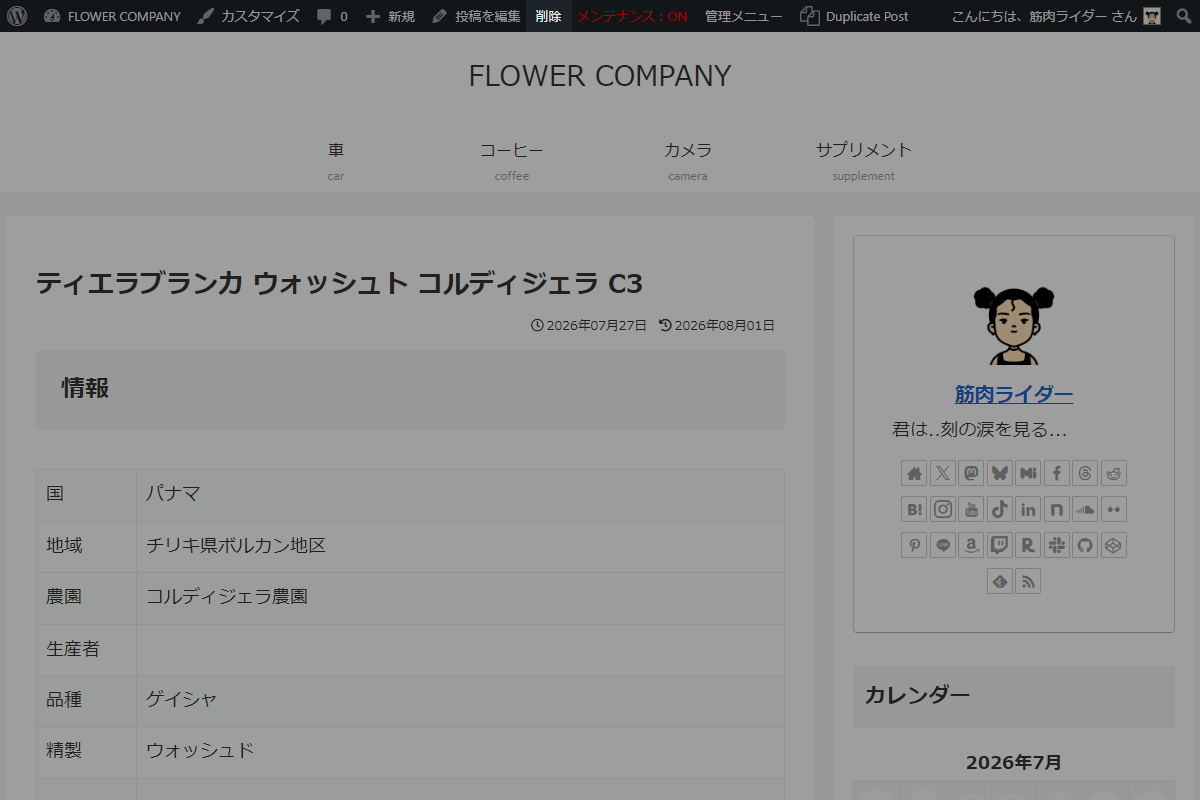
実装手順
実装するにあたり、削除後の動作として2つの方法があります(表1参照)。
それぞれメリット・デメリットが異なるため、運用スタイルに合わせて選択してください。
| 比較項目 | そのまま留まる(404等) | 一覧へリダイレクトする |
|---|---|---|
| メリット |
|
|
| デメリット |
|
|
| 向いている運用 |
|
|
削除後にそのまま留まる実装
以下のコードをfunctions.phpに追加します。
add_action('admin_bar_menu', function ($wp_admin_bar) {
  // 投稿・固定ページ以外は処理対象外
  if (!is_singular(['post', 'page'])) {
    return;
  }

  // 投稿オブジェクトを取得
  $post = get_queried_object();

  // 投稿IDなしは処理対象外
  if (empty($post->ID)) {
    return;
  }

  // 権限チェック
  if (!current_user_can('delete_post', $post->ID)) {
    return;
  }

  // 削除用URLを取得
  $delete_url = get_delete_post_link($post->ID, '', false);

  // 削除用URLなしは処理対象外
  if (!$delete_url) {
    return;
  }

  // ツールバーにメニューを追加
  $wp_admin_bar->add_node(
    [
      'id'    => 'delete-post-item',
      'title' => '削除',
      'href'  => $delete_url,
      'meta'  => [
        'onclick' => 'return confirm("この投稿をゴミ箱へ移動しますか?");',
      ],
    ]
  );
}, 99);
削除後に投稿一覧へリダイレクトする実装
以下のコードをfunctions.phpに追加します。
// 管理者からのPOSTリクエストを実行
add_action('admin_post_delete_post', function () {
  $post_id = absint($_GET['post_id'] ?? 0);

  if (!$post_id) {
    wp_die('投稿が見つかりません。');
  }

  // nonceチェック
  check_admin_referer('delete_post_action', 'delete_post_nonce');

  // 権限チェック
  if (!current_user_can('delete_post', $post_id)) {
    wp_die('権限がありません。');
  }

  // 投稿タイプを取得
  $post_type = get_post_type($post_id);

  // 投稿をゴミ箱へ移動
  wp_trash_post($post_id);

  // 投稿タイプに応じてリダイレクト先を設定
  $redirect_url = ($post_type === 'post')
    ? admin_url('edit.php')
    : admin_url('edit.php?post_type=' . $post_type);

  wp_redirect($redirect_url);
  exit;
});


// ツールバーにメニュー追加
add_action('admin_bar_menu', function ($wp_admin_bar) {
  // 投稿・固定ページ以外は処理対象外
  if (!is_singular(['post', 'page'])) {
    return;
  }

  // 投稿オブジェクトを取得
  $post = get_queried_object();

  // 投稿IDなしは処理対象外
  if (empty($post->ID)) {
    return;
  }

  // 権限チェック
  if (!current_user_can('delete_post', $post->ID)) {
    return;
  }

  $delete_nonce = wp_create_nonce('delete_post_action');
  $delete_url = add_query_arg(
    [
      'action'              => 'delete_post',
      'post_id'             => $post->ID,
      'delete_post_nonce'   => $delete_nonce,
    ],
    admin_url('admin-post.php')
  );

  // ツールバーにメニューを追加
  $wp_admin_bar->add_node(
    [
      'id'    => 'delete-post-item',
      'title' => '削除',
      'href'  => $delete_url,
      'meta'  => [
        'onclick' => 'return confirm("この投稿をゴミ箱へ移動しますか?");',
      ],
    ]
  );
}, 99);
さいごに
今回紹介した方法を使えば、フロントエンドのツールバーから直接かつ安全に記事や固定ページをゴミ箱へ移動できるようになり、日々のWordPress運用やテスト作成の効率が大幅に向上します。