LIGGGHTS を使ってみる
2012年1月6日
はじめに
DEM 解析ソルバー LIGGGHTS を使ってみる。
使用バージョン
LIGGGHTS 1.5
ファイル
入力ファイル
入力ファイルのフォーマット
LIGGGHTS は分子動力学ソルバー LAMMPS と下位互換性がある。したがって入力ファイルのフォーマットは LAMMPS に準じる。
入力はコマンド形式になっている。ファイルの上の行から順に実行される。したがって
timestep 0.5
run 100
run 100
と
run 100
timestep 0.5
run 100
では挙動が異なる。下はまずデフォルトの時間刻み幅で 100 ステップ計算が実行されることになる。
実行は以下のように行う。
$ mpirun -np 4 liggghts < in.box
リダイレクトで入力するのでファイル名はなんでもよいが、"in.*" とする習慣があるらしい。
入力ファイルのコマンド
例題の入力ファイルを 1 つずつ見て行こう (box.tar.gz の in.box)。
#box
コメント。
atom_style granular
原子のタイプ。"atomic", "molecular" などが選べるが、DEM では "granular" を選ぶ。
atom_modify map array
原子の管理のしかた。
boundary m m m
境界タイプ。x, y, z 面それぞれに対して次のものが指定できる。
- p : periodic
- f : non-periodic and fixed
- s : non-periodic and shrink-wrapped
- m : non-periodic and shrink-wrapped with a minimum value
newton off
Newton の第 3 法則の ON/OFF の切り替え。"off" だとプロセッサ間で原子の相互作用のやり取りをしないらしい。
echo both
入力コマンド出力の設定。スクリーンとログファイルに出力するかどうかの設定で、"none", "screen", "log", "both" が選べる。
communicate single vel yes
プロセッサ間通信の設定。通信速度に関係するらしい。
units si
単位の設定。
region reg block -0.5 0.5 -0.5 0.5 -0.5 0.5 units box
箱領域の定義。
regin ID style args keyword value ...
- ID : 任意の文字列
- style : block など
- block の引数 : xlo xhi ylo yhi zlo zhi (x, y, z の範囲の指定)
- units box : 箱の中にジオメトリを定義
create_box 1 reg
計算用箱の定義。
create_box N region-ID
- N : 原子タイプの数。
- region-ID : 箱タイプの領域 ID
neighbor 0.01 bin
隣接ペアリスト作成の設定。
neighbor skin style
- skin : 力のカットオフ距離
- style : bin, nsq, multi (アルゴリズム、ふつうは bin でよい)
neigh_modify delay 0
隣接ペアリスト作成のタイミングの設定。
delay N
- N : リスト作成後 N ステップ後にリストを作成する
fix m1 all property/global youngsModulus peratomtype 5e6
fix m2 all property/global poissonsRatio peratomtype 0.45
fix m3 all property/global coefficientRestitution peratomtypepair 1 0.3
fix m4 all property/global coefficientFriction peratomtypepair 1 0.5
fix m5 all property/global characteristicVelocity scalar 2.
特性の設定。"peratomtype" は原子タイプごとに入れる指定らしい。原子タイプ数が 2 なら数値を 2 個入れる。
fix ID group-ID style args
各種設定。以降もいくつか出てくる。
pair_style gran/hooke/history 1 0
原子同士の作用の扱い方の設定。DEM の場合は "gran/hooke/history" を選ぶ。
pair_style gran/hooke/history friction_damp_flag cohesionflag
pair_coeff * *
原子同士の力の係数の設定。パラメタ設定できるが、DEM の場合はこうしておく。
timestep 0.00001
時間刻み幅。
fix gravi all gravity 9.81 vector 0.0 0.0 -1.0
重力の設定。
fix boxwalls_x all wall/gran/hooke/history 1 0 xplane -0.5 0.5 1
fix boxwalls_y all wall/gran/hooke/history 1 0 yplane -0.5 0.5 1
fix boxwalls_z all wall/gran/hooke/history 1 0 zplane -0.5 0.5 1
壁の設定。
fix ID group-ID wall/gran/(*) friction_damp_flag cohesionflag wallstyle args kesyword values ...
- wall/gran/(*) : 壁のタイプ (ふつうは wall/gran/hooke/history でよい)
- wallstyle : xplane など
- xplane の引数 : lo hi atom_type_wall (壁の位置と原子タイプ)
fix pts1 all particletemplate/sphere 1 atom_type 1 density constant 2500 radius constant 0.015
fix pts2 all particletemplate/sphere 1 atom_type 1 density constant 2500 radius constant 0.025
粒子の設定。
fix ID group-ID particletemplate/sphere seed keyword values ...
- seed : 乱数の種 (整数)
- density constant value : 密度
- radius constant value : 半径
fix pdd1 all particledistribution/discrete 1 2 pts1 0.3 pts2 0.7
粒子分布の設定。
fix ID group-ID particledistribution/discrete seed ntemp t_id t_m
- seed : 乱数の種 (整数)
- ntemp : 指定する particle template の数
- t_id : particletemplate/sphere タイプの fix の ID
- t_m : 質量分率
上記の設定では pts1 と pts2 をそれぞれ質量分率で 3 : 7 の割合で入れる。
group nve_group region reg
原子のグループの作成。
group ID style args
- style : region など
- region の引数 : region-ID
region bc block -0.3 0.3 -0.3 0.3 0.4 0.5 units box
原子投入用の箱領域。
fix ins nve_group pour/dev mass 30. 1 distributiontemplate pdd1 vol 0.25 200 massflowrate 30. vel uniform 0. 0. 0. 0. 0.0 region bc
粒子投入設定。
fix ID group-ID pour/dev target_speficier target seed keyword values ...
- target_specficier : mass or nparticles
- target : 質量あるいは粒子数 (target_specificier の値による)
- seed : 乱数の種 (整数)
- keyword : distributiontemplate など
- distributiontemplate dist-fix-ID : 粒子分布
- vol fraction Nattempt : 投入領域内の体積分率と原子ごとの挿入試行の最大数
- massflowrate value : 質量流量
- vel uniform vx_param1 vx_param2 vy_param1 vy_param2 vz : X, Y 方向速度の範囲と Z 方向速度
- region region-ID : 投入領域
fix integr nve_group nve/sphere
位置、速度、方向、各速度の更新のための積分実行の設定。
run 1
計算の実行。
run N
- N : ステップ数
dump dmp all custom 500 post/dump.box id type type x y z ix iy iz vx vy vz fx fy fz omegax omegay omegaz radius
出力設定。
dump ID group-ID style N file args
- style : custom など
- N : 出力のタイミング (N イテレーションごとに出力)
- file : 出力ファイル名
run 200000 upto
run N upto
- upto : 現時点から N ステップ目まで計算
unfix ins
fix の設定を無効にする。
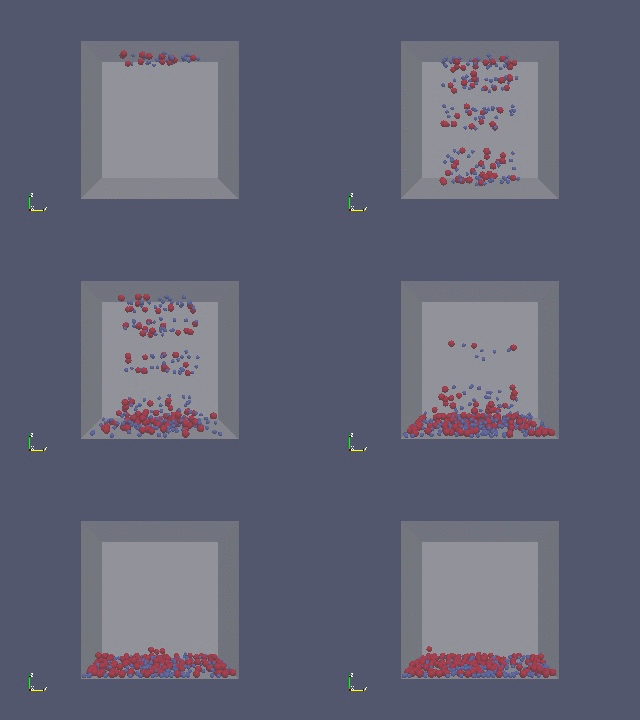
計算結果。
STL ファイルの使用
STL ファイルを使って壁条件を作ることもできる (box2.tar.gz の in.box)。
fix boxwalls all mesh/gran box.stl 1 1. 0. 0. 0. 0. 0. 0.
STL を使う場合の壁の設定。
fix ID group-ID mesh/gran filename walltype scalarfactor xoff yoff zoff phix phiy phiz
- walltype : 原子タイプ
fix wall all wall/gran/hooke/history 1 0 mesh/gran 1 boxwalls
STL で用意した壁に対する条件の設定。
mesh/gran nfix fixi_d1 fix_id2 ...
- nfix : 使用する mesh/gran タイプの fix の数
- fix_id1 fix_id2 ... : mesh/gran タイプの fix の ID
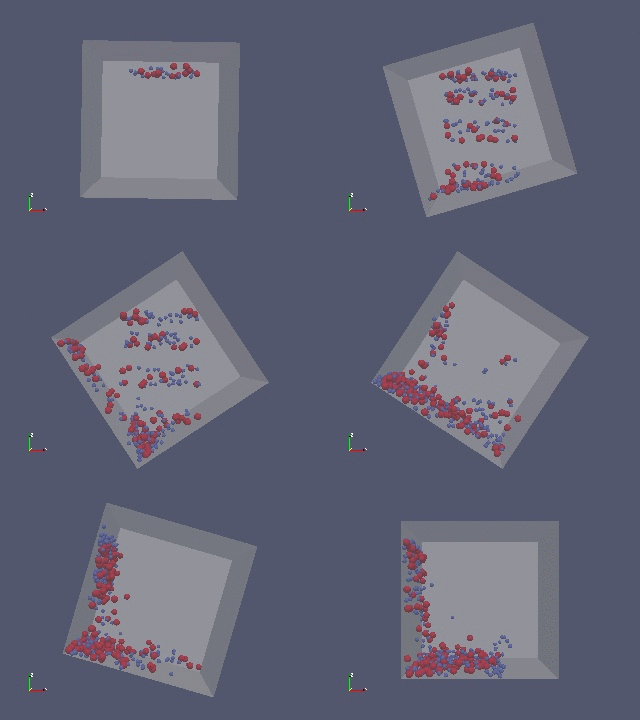
壁の回転
壁を回転させることもできる。
fix moveboxwalls all move/mesh/gran rotate 0. 0. 0. 0. 1. 0. 2. boxwalls 1.
fix ID group-ID move/mesh/gran style args keyword values meshgran_id ssf
rotate px py pz rx ry rz period
- period : 周期 (1 回転する時間)
移動した壁を STL で出力させることができる。
dump dumpstl all stl 500 post/dump*.stl
計算結果。