
はじめに
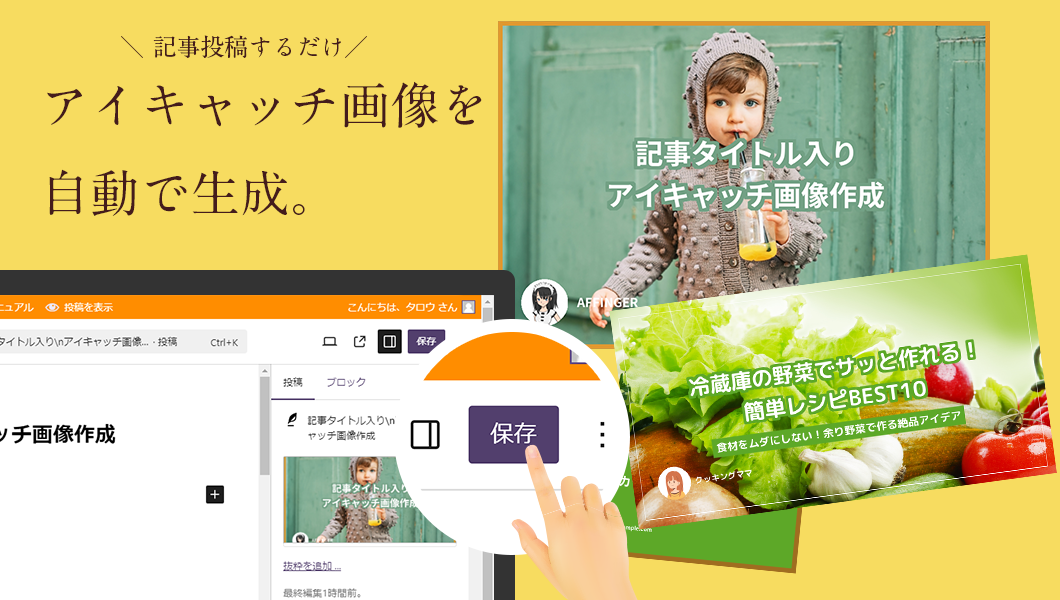
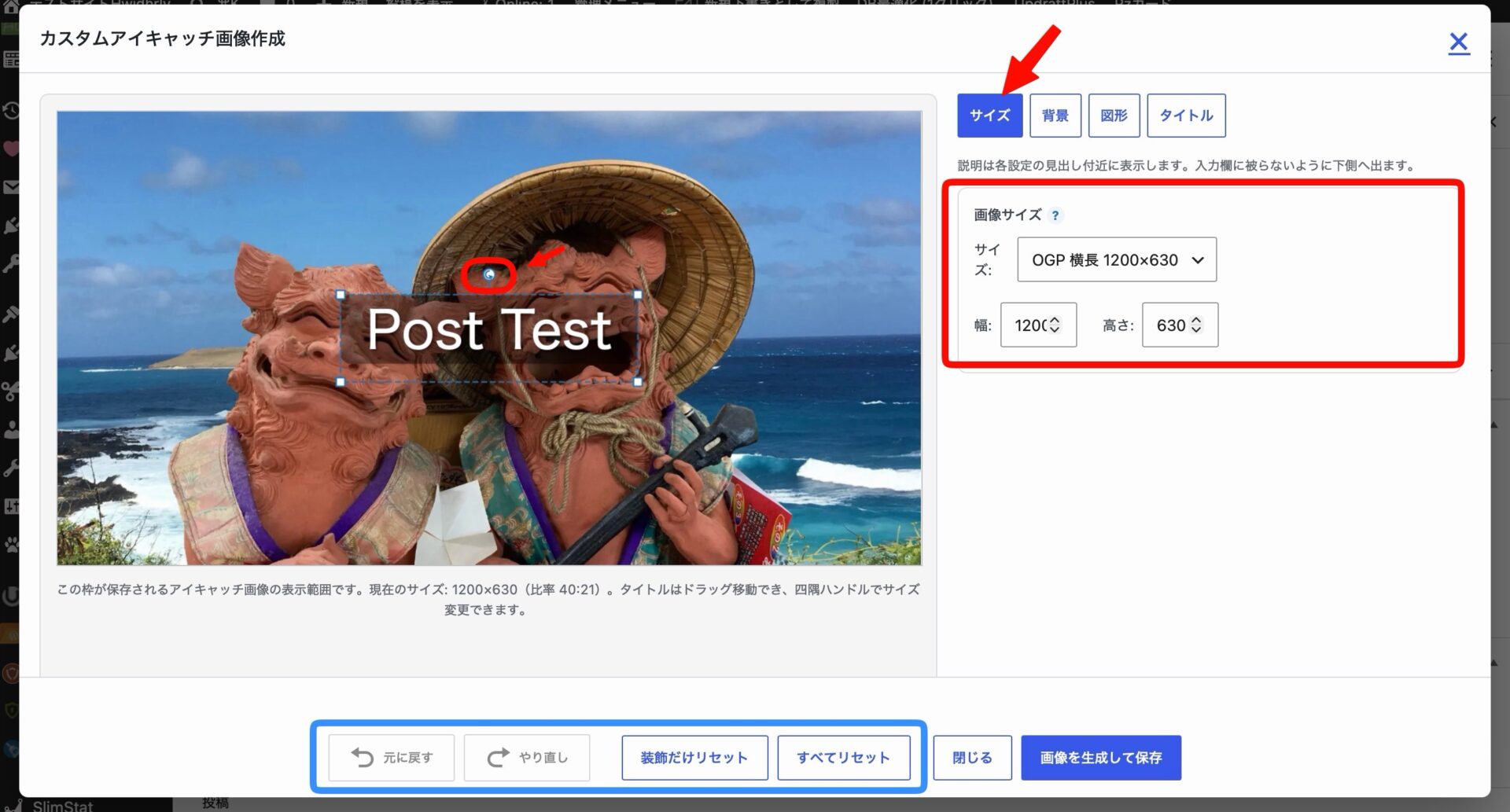
Cocoon 2.8.4から投稿・固定ページの投稿タイトルからアイキャッチ画像を作成する機能が追加されました。
それに伴いJIN:Rなどの他テーマでも同様の機能がサポートされるようになっています。

Cocoonの機能の課題
PHPで画像処理を行う際には、主に以下の2つのライブラリが使用されます。
- GD(標準で利用可能)
- ImageMagick(拡張モジュールで、サーバー設定によっては使用不可)
Cocoonは、PHPに標準で備わっているGDライブラリがそのまま利用できるため、特別な設定なしで扱えるという利点から採用されています。
しかしGDではテキストのサイズや位置の調整、レイアウトの確認が非常に手間であり、以下のような課題があります。
- 要素の座標指定が必要で手間がかかる
- レイアウト確認には画像を都度出力する必要がある
画像生成方法の比較
表1に画像生成方法ごとの特徴をまとめます。
| 観点 | GD(PHP) | SVG + canvas(JS) | HTML+CSS + html2canvas(JS) |
|---|---|---|---|
| 依存ライブラリ | 標準PHP拡張 | canvas API(JS) | html2canvas(外部JS) |
| レイアウト確認のしやすさ | 都度出力が必要 | ブラウザ上で即時確認可 | DOMベースで即表示 |
| レイアウト調整のしやすさ | 座標指定で煩雑 | 属性である程度調整可能 | CSSで直感的に調整可能 |
| テキスト・フォント制御 | フォント制限あり | 柔軟な表現が可能 | Webフォント・CSSスタイル対応 |
| 要素の追加変更 | コードが煩雑になりやすい | SVG構造を保てば比較的容易 | HTML要素を追加するだけで済む |
| 再利用性・保守性 | カスタム関数が複雑化しやすい | テンプレート再利用可能 | HTMLテンプレート + CSS活用容易 |
目的
表1に示した利点を踏まえ、ライブラリ「html2canvas」を用いて、投稿タイトルからアイキャッチ画像を自動生成するプラグインを追加します。
使用テーマがCocoonである場合は、表1で指定した比率に従い画像を生成します。
それ以外のテーマでは、縦横比3:4で画像が作成されます。
この記事では、この方法について説明します。
| 設定 | 大項目 | 項目 | 設定値 |
|---|---|---|---|
| 画像 | サムネイル画像 |
完成イメージ

機能一覧
表2にプラグインの機能一覧を示します。
| 項目 | 説明 |
|---|---|
| 背景色 | 背景の色を設定します。 |
| 文字色 | 文字の色を設定します。 |
| 枠色 | 枠の色を設定します。 |
| 著者名 |
|
| 画像を作成 | クリックされると、画像生成しプレビュー表示します。 |
| 画像を保存 | クリックすると、メディアに保存され、アイキャッチ画像に設定します。 |

実装手順
以下の手順で実装します。
- my-html-canvas
- html-canvas.php
- assets
- css
- admin.css
- js
- admin.js
- css
- ラベルPHPを追加
以下のコードをhtml-canvas.phpに追加します。
<?php /** * Plugin Name: My HTML Canvas * Description: 投稿タイトルからアイキャッチ画像を生成します。 * Version: 1.0.0 * Author: CHU-YA */ if (!defined('ABSPATH')) { exit; } class HTML_Canvas { public function __construct() { add_action('add_meta_boxes', [$this, 'add_meta_box']); add_action('admin_enqueue_scripts', [$this, 'enqueue_assets']); add_action('wp_ajax_html_canvas_save_image', [$this, 'ajax_save_image']); } /** * メタボックスを追加 * * @return void */ public function add_meta_box() { add_meta_box( 'html_canvas', 'アイキャッチ画像自動生成', [$this, 'render_html_canvas'], 'post', 'side' ); } /** * メタボックスの入力フォームを出力 * * @param WP_Post $post 現在編集中の投稿オブジェクト * @return void */ public function render_html_canvas($post) { ?> <div class="html-canvas"> <p><label>背景色<input type="color" id="html_canvas_bgcolor" value="#ffffff"></label></p> <p><label>文字色<input type="color" id="html_canvas_fontcolor" value="#333333"></label></p> <p><label>枠色<input type="color" id="html_canvas_framecolor" value="#a2d7dd"></label></p> <p><label><input type="checkbox" id="html_canvas_use_author">著者名</label></p> <p><button type="button" class="button html-canvas__generate">画像を作成</button></p> <p><img class="html-canvas__preview" src="" alt="" style="max-width:100%; display:none;"></p> <p><button type="button" class="button button-primary html-canvas__save">画像を保存</button></p> </div> <?php } /** * エディター用JS・CSSを追加 * * @param string $hook 現在の管理画面フック名 * @return void */ public function enqueue_assets($hook) { // 投稿編集画面以外では読み込まない if (!in_array($hook, ['post.php', 'post-new.php'], true)) { return; } global $post; // 外部ライブラリhtml2canvasを追加 wp_enqueue_script('html2canvas', 'https://cdnjs.cloudflare.com/ajax/libs/html2canvas/1.4.1/html2canvas.min.js', [], null, true); // フロント用JS・CSSを追加 wp_enqueue_script('html-canvas', plugin_dir_url(__FILE__) . 'assets/js/admin.js', ['jquery'], null, true); wp_enqueue_style('html-canvas', plugin_dir_url(__FILE__) . 'assets/css/admin.css'); // Ajaxで使うパラメータなどをJS側に渡す $author_id = get_post_field('post_author', $post->ID); $author_name = get_the_author_meta('display_name', $author_id); $avatar_url = get_the_author_uploaded_avatar_url($author_id); if (function_exists('get_thumbnail_aspect_ratio')) { $ratio = get_thumbnail_aspect_ratio(); } else { $ratio = 3 / 4; } wp_localize_script('html-canvas', 'htmlCanvasData', [ 'ajaxUrl' => admin_url('admin-ajax.php'), 'postId' => $post->ID, 'nonce' => wp_create_nonce('html_canvas_action'), 'cardRatio' => $ratio, 'siteIconUrl' => get_site_icon_url(64), 'siteName' => get_bloginfo('name'), 'authorName' => esc_js($author_name), 'authorAvatar' => esc_url($avatar_url), ]); } /** * Ajaxアクションを追加 * * @return void */ public function ajax_save_image() { // nonceチェック check_ajax_referer('html_canvas_action', 'html_canvas_nonce'); $post_id = intval($_POST['postId']); $data = $_POST['imageData'] ?? ''; // 画像データ形式チェック(data URL) if (!preg_match('/^data:image\/png;base64,/', $data)) { wp_send_json_error(['message' => '無効な画像データ']); } // base64デコード $binary = base64_decode(str_replace('data:image/png;base64,', '', $data)); // ファイルをアップロードディレクトリに保存 $upload = wp_upload_bits("html-canvas-{$post_id}.png", null, $binary); if (!empty($upload['error'])) { wp_send_json_error(['message' => $upload['error']]); } // 添付ファイル情報を作成 $attachment = [ 'post_mime_type' => 'image/png', 'post_title' => "HTML Canvas Image {$post_id}", 'post_status' => 'inherit', ]; // 添付ファイルとして登録 $attach_id = wp_insert_attachment($attachment, $upload['file'], $post_id); if (is_wp_error($attach_id)) { wp_send_json_error([ 'message' => '画像の保存に失敗しました', 'error_details' => $attach_id->get_error_message(), ]); } // 画像メタデータ生成と更新 require_once ABSPATH . 'wp-admin/includes/image.php'; $meta = wp_generate_attachment_metadata($attach_id, $upload['file']); wp_update_attachment_metadata($attach_id, $meta); // 投稿のアイキャッチ画像に設定 set_post_thumbnail($post_id, $attach_id); // 更新情報をJSON形式で返却 wp_send_json_success([ 'url' => $upload['url'], 'attach_id' => $attach_id, ]); } } new HTML_Canvas(); - ラベルJavaScriptを追加
以下のコードをadmin.jsに追加します。
jQuery(function ($) { const width = 800; const height = width * htmlCanvasData.cardRatio; let currentImageData = ''; /** * 現在の投稿タイトルを取得 * * @return {string} 投稿タイトル(未入力の場合は空文字) */ function getCurrentTitle() { // Gutenbergエディターのチェック if (typeof wp !== 'undefined' && wp.data && wp.data.select('core/editor')) { return wp.data.select('core/editor').getEditedPostAttribute('title') || ''; } // クラシックエディターのチェック const $titleInput = jQuery('#title'); if ($titleInput.length) { return $titleInput.val() || ''; } return ''; } /** * プレビュー用のHTMLテンプレート文字列を生成 * * @param {string} fontColor 文字色 * @param {string} frameColor 枠色 * @param {string} titleText タイトル文字列 * @return {string} 生成されたHTML文字列 */ function generateHTML(fontColor, frameColor, titleText) { const displayMode = $('#html_canvas_use_author').is(':checked'); let siteIconUrl = htmlCanvasData.siteIconUrl; let siteName = htmlCanvasData.siteName; // 著者名表示モードの場合 if (displayMode) { siteIconUrl = htmlCanvasData.authorAvatar; siteName = htmlCanvasData.authorName; } return ` <div class="html-canvas__preview-container" style="border-color:${frameColor}; height: ${height}px; width:${width}px;"> <div class="html-canvas__title" style="color:${fontColor};">${titleText}</div> <div class="html-canvas__site"> <img src="${siteIconUrl}" alt="サイトアイコン" class="html-canvas__icon"> <span class="html-canvas__site-name" style="color:${fontColor};">${siteName}</span> </div> </div> `; } /** * HTML要素をPNG画像に変換してプレビューを表示 * * @param {string} htmlContent 描画対象のHTML文字列 * @param {string} bgColor 背景色 * @return {void} */ function htmlToPng(htmlContent, bgColor) { const $container = $('<div>').html(htmlContent).appendTo('body'); const element = $container.find('.html-canvas__preview-container')[0]; html2canvas(element, { useCORS: true, backgroundColor: bgColor, }).then(function (canvas) { const img = canvas.toDataURL('image/png'); currentImageData = img; $('.html-canvas__preview').attr('src', img).show(); }).catch(function (error) { console.error('html2canvas Error: ', error); alert('画像の生成に失敗しました。'); }).finally(function () { $container.remove(); }); } // 「画像を作成」ボタンクリックの場合 $('.html-canvas__generate').on('click', function () { const title = getCurrentTitle(); const bgColor = $('#html_canvas_bgcolor').val(); const fontColor = $('#html_canvas_fontcolor').val(); const frameColor = $('#html_canvas_framecolor').val(); const htmlContent = generateHTML(fontColor, frameColor, title); htmlToPng(htmlContent, bgColor); }); // 「画像を保存」ボタンクリックの場合 $('.html-canvas__save').on('click', function () { if (!currentImageData) { alert('画像を作成してください。'); return; } $.post(htmlCanvasData.ajaxUrl, { action: 'html_canvas_save_image', html_canvas_nonce: htmlCanvasData.nonce, postId: htmlCanvasData.postId, imageData: currentImageData, }, function (res) { if (res.success) { // Gutenbergエディターの場合 if (typeof wp !== 'undefined' && wp.data && wp.data.dispatch) { wp.data.dispatch('core/editor').editPost({ featured_media: res.data.attach_id, }); } else { $('#_thumbnail_id').val(res.data.attach_id); } } else { alert('保存に失敗しました: ' + (res.data?.message || 'エラー')); } }); }); }); - ラベルCSSを追加
以下のコードをadmin.cssに追加します。
/* アイキャッチ画像自動生成メタボックス */
.html-canvas__generate,
.html-canvas__save {
  display: block;
  width: 100%;
}

.html-canvas__preview {
  display: none;
  width: 100%;
}

.html-canvas input[type="color"] {
  width: 100%;
}

/* アイキャッチ */
.html-canvas__preview-container {
  border-style: solid;
  border-width: 30px;
  box-sizing: border-box;
  display: flex;
  flex-direction: column;
  padding: 40px;
}


/* タイトル */
.html-canvas__title {
  align-content: center;
  flex: 1;
  font-size: 42px;
  font-weight: bold;
  line-height: 1.2;
  margin: 0;
  text-align: center;
}

/* サイト情報 */
.html-canvas__site {
  align-items: center;
  display: flex;
  gap: 10px;
}

.html-canvas__icon {
  height: 50px;
  width: 50px;
}

.html-canvas__site-name {
  font-size: 30px;
}
補足
CSSでbackground-color: transparent;を指定しても、html2canvasでは背景が白く描画される場合があります。
そのため、背景を透明にしたい場合は、html2canvasのオプションbackgroundColorにnullまたはrgba(0, 0, 0, 0)のようにアルファ値が0の色を明示的に指定します。
さいごに
今回紹介した方法を使えば、投稿タイトルからアイキャッチ画像を生成・保存できます。
Cocoon標準のGD方式と違い、HTMLとCSSで自由にデザインでき、即時プレビューでき、より柔軟なレイアウトを求める方におすすめです。

