はじめに
以下をCocoonで実現します。

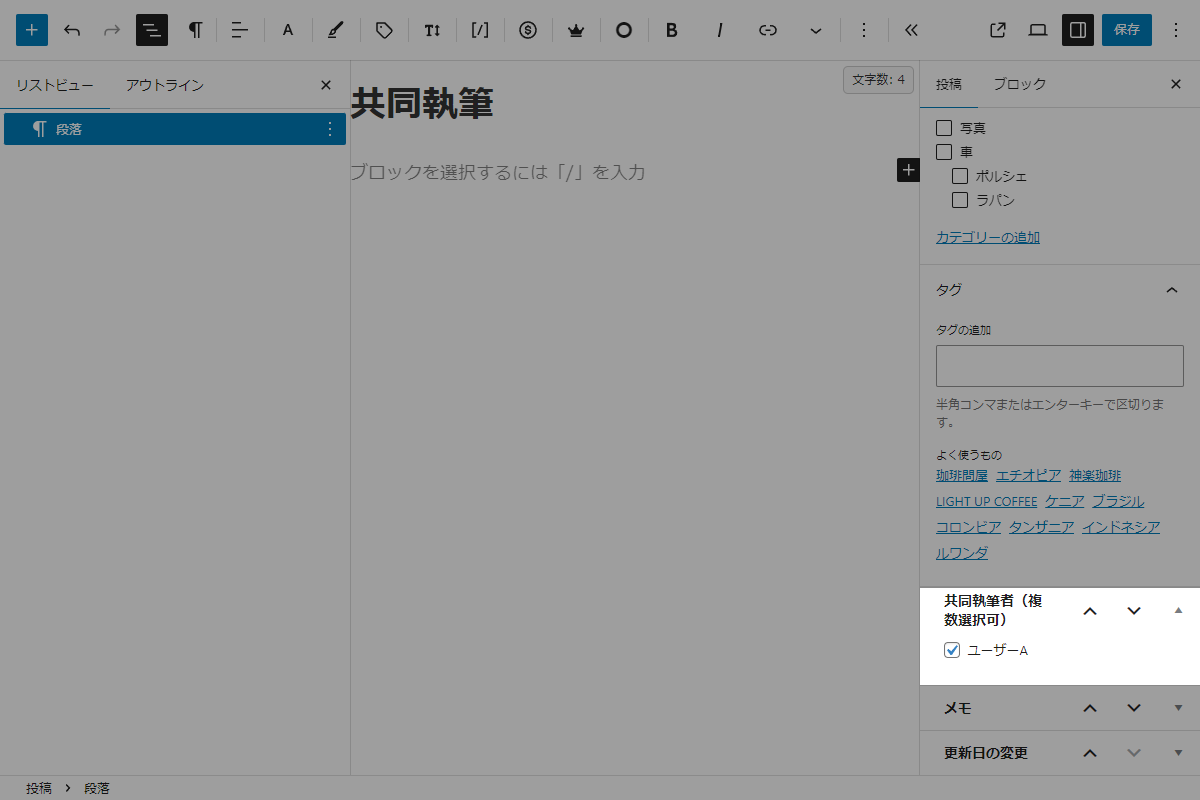
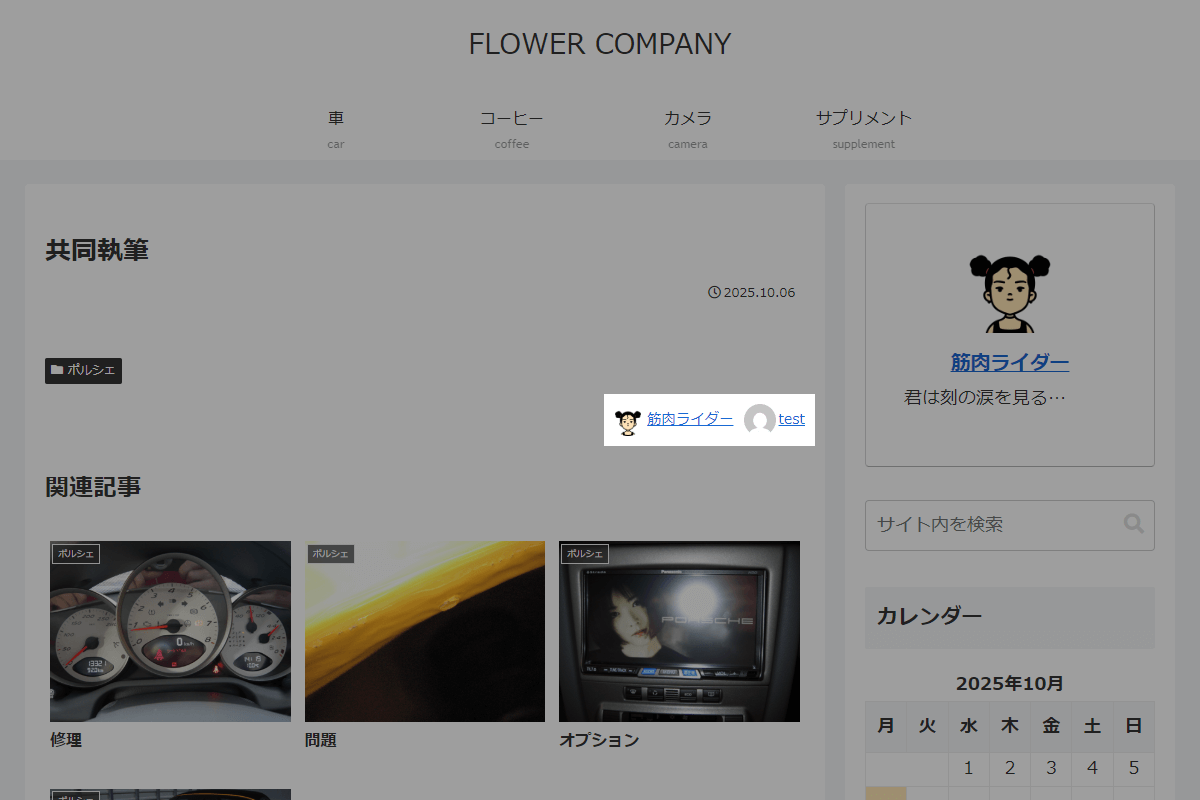
また、プラグイン「Co-Authors Plus」などを使わずに、投稿に複数の著者(ユーザー)を表示します。
この記事では、この方法について説明します。
完成イメージ
実装手順
以下の手順で実装します。
- ラベルPHPを追加(投稿編集画面・新規投稿画面)
表1に示す項目を設定します。
Cocoon設定 設定 大項目 項目 設定値 本文 投稿情報表示設定 投稿者名を表示する オン - ラベルPHPを追加
以下のコードをfunctions.phpに追加します。
// メタボックスを追加
add_action('add_meta_boxes', function () {
  add_meta_box(
    'co_author',
    '共同執筆者(複数選択可)',
    'render_co_author',
    'post',
    'side',
    'low'
  );
});


/**
 * メタボックスの入力フォームを出力
 *
 * @param WP_Post $post 投稿オブジェクト
 * @return void
 */
if (!function_exists('render_co_author')):
function render_co_author($post) {
  // 共同執筆者IDを取得
  $co_author_ids_str = get_post_meta($post->ID, 'my_co_author_ids', true);
  $selected_user_ids = [];

  if ($co_author_ids_str) {
    $selected_user_ids = explode(',', trim($co_author_ids_str, ','));
    $selected_user_ids = array_map('intval', $selected_user_ids);
  }

  // 編集可能ユーザーを取得
  $editable_users = get_users([
    'capability' => 'edit_posts',
    'exclude'    => [$post->post_author],
    'orderby'    => 'display_name',
    'order'      => 'ASC',
  ]);

  if (empty($editable_users)) {
    echo '<p>編集可能な他のユーザーがいません。</p>';
    return;
  }

  wp_nonce_field('co_author_action', 'co_author_nonce');

  // チェックボックスを出力
  foreach ($editable_users as $user) {
    $checked = in_array($user->ID, $selected_user_ids, true) ? 'checked' : '';

    printf(
      '<p><label><input type="checkbox" name="my_co_author_ids[]" value="%d" %s> %s</label></p>',
      esc_attr($user->ID),
      $checked,
      esc_html($user->display_name)
    );
  }
}
endif;


// 投稿データを保存
add_action('save_post', function ($post_id) {
  // nonceチェック
  if (!isset($_POST['co_author_nonce']) || !wp_verify_nonce(wp_unslash($_POST['co_author_nonce']), 'co_author_action')) {
    return;
  }

  // 自動保存チェック
  if (defined('DOING_AUTOSAVE') && DOING_AUTOSAVE) {
    return;
  }

  // リビジョンは除外
  if (wp_is_post_revision($post_id)) {
    return;
  }

  // 権限チェック
  if (!current_user_can('edit_post', $post_id)) {
    return;
  }

  if (isset($_POST['my_co_author_ids']) && is_array($_POST['my_co_author_ids'])) {
    $user_ids = array_map('intval', $_POST['my_co_author_ids']);
    $user_ids = array_filter($user_ids);

    $user_ids_str = !empty($user_ids) ? ',' . implode(',', $user_ids) . ',' : '';

    update_post_meta($post_id, 'my_co_author_ids', $user_ids_str);
  } else {
    delete_post_meta($post_id, 'my_co_author_ids');
  }
});


// テンプレート(投稿関連情報)を変更
add_filter('cocoon_part__tmp/footer-meta', function ($content) {
  global $post;

  if (!is_post_author_visible()) {
    return $content;
  }

  if (empty($post) || !isset($post->ID)) {
    return $content;
  }

  // 投稿者IDを取得
  $author_id = (int) get_post_field('post_author', $post->ID);
  if (!$author_id) {
    return $content;
  }

  // 共同執筆者を取得
  $co_author_ids_str = get_post_meta($post->ID, 'my_co_author_ids', true);
  $co_author_ids = [];

  if (!empty($co_author_ids_str)) {
    $co_author_ids = array_map('intval', explode(',', trim($co_author_ids_str, ',')));
  }

  // 投稿者と共同執筆者を統合
  $author_ids = array_unique(array_merge([$author_id], $co_author_ids));

  ob_start();
  ?>
  <div class="footer-meta co-author">
    <div class="co-author__list">
      <?php foreach ($author_ids as $uid) :
        $user_obj = get_userdata($uid);
        if (!$user_obj) {
          continue;
        }

        $profile_url = get_the_author_profile_page_url($uid) ?: get_author_posts_url($uid);

        $avatar = get_avatar($uid, 32, '', $user_obj->display_name, [
          'class' => 'avatar avatar-32 photo',
        ]);

        $name = esc_html($user_obj->display_name);
      ?>
        <a href="<?php echo esc_url($profile_url); ?>" class="co-author__link" rel="author">
          <div class="co-author__image"><?php echo $avatar; ?></div>
          <div class="co-author__name"><?php echo $name; ?></div>
        </a>
      <?php endforeach; ?>
    </div>
  </div>
  <?php
  return ob_get_clean();
});


// 投稿クエリの取得条件を変更
add_action('pre_get_posts', function ($query) {
  if (is_admin() || !$query->is_main_query() || !$query->is_author()) {
    return;
  }

  // 表示中の著者情報を取得
  $author_obj = get_queried_object();
  if (!$author_obj || !isset($author_obj->ID)) {
    return;
  }

  $author_id = (int) $author_obj->ID;

  // 投稿者本人の投稿を取得
  $author_posts = get_posts([
    'post_type'   => 'post',
    'post_status' => 'publish',
    'numberposts' => -1,
    'fields'      => 'ids',
    'author'      => $author_id,
  ]);

  // 共同執筆者として登録されている投稿を取得
  $co_author_posts = get_posts([
    'post_type'   => 'post',
    'post_status' => 'publish',
    'numberposts' => -1,
    'fields'      => 'ids',
    'meta_query'  => [
      [
        'key'     => 'my_co_author_ids',
        'value'   => ',' . $author_id . ',',
        'compare' => 'LIKE',
      ],
    ],
  ]);

  // 投稿IDを統合
  $post_ids = array_unique(array_merge($author_posts, $co_author_posts));

  // 投稿がない場合
  if (empty($post_ids)) {
    $post_ids = [0];
  }

  // 投稿IDで対象を限定
  $query->set('post__in', $post_ids);
  $query->set('author', '');
  $query->set('author_name', '');
});


// フロント用JS・CSSを追加
add_action('wp_enqueue_scripts', function () {
  ob_start();
  ?>
  .footer-meta {
    .co-author__list {
      display: flex;
      gap: 10px;
      justify-content: flex-end;

      .co-author__link {
        align-items: center;
        display: flex;
        gap: 3px;
      }

      .co-author__image {
        border-radius: 100%;
        overflow: hidden;
      }
    }
  }
  <?php

  $handle = 'co-author';

  wp_register_style($handl, false);
  wp_enqueue_style($handl);
  wp_add_inline_style($handl, ob_get_clean());
});
さいごに
今回紹介した方法を使えば、複数の著者情報を柔軟に扱うことができます。
記事に関わった全ての執筆者を明示できるため、チームでの執筆体制やコンテンツ制作における透明性が向上します。