
はじめに
以下の質問に回答します。

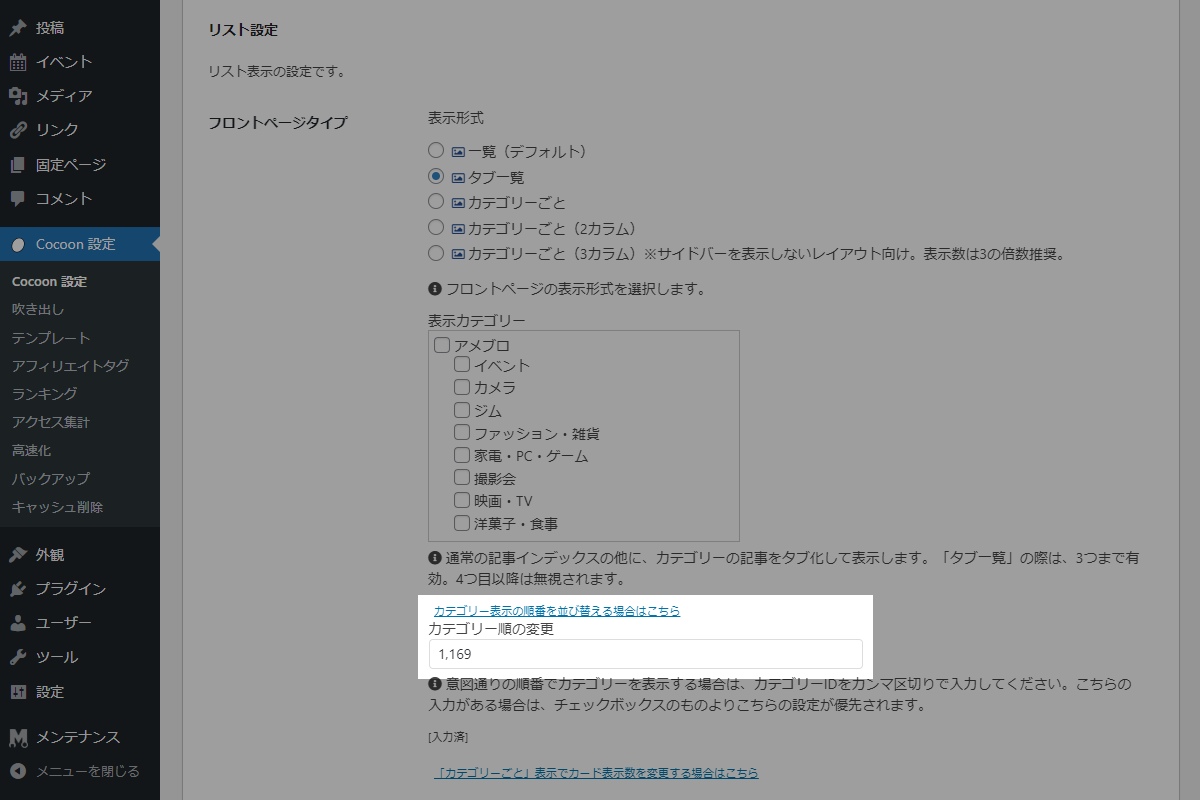
フロントページタイプにはカテゴリー単位の設定は用意されていますが、タグクラウド単位の設定はありません。
また、表示対象をタグで指定するにはカテゴリーと同様の選択メニューを別途作成する必要があり、実装には少々手間がかかります。
そこで、表示カテゴリーより優先される「カテゴリー表示の順番を並び替える場合はこちら」の入力欄を活用し、直接タクソノミーIDを指定する方法を採ります。
この記事では、この方法について説明します。
完成イメージ
実装手順
以下の手順で実装します。
- ラベルPHPを追加(タクソノミーを表示)
以下のコードをfunctions.phpに追加します。
// カテゴリーIDからカテゴリー名を取得 add_filter('get_category_name_by_id', function ($category_name, $id) { if (!is_numeric($id)) { return null; } $term = get_term($id); if (!is_wp_error($term) && $term && !empty($term->name)) { return $term->name; } }, 10, 2); // カテゴリーIDの存在を確認 add_filter('is_category_exist', function ($is_exist, $cat_id) { $term = get_term($cat_id); return (!is_wp_error($term) && $term); }, 10, 2); /** * タームIDからWP_Queryの引数を変換 * * @param int $term_id 変換対象となるタームID * @param array $args 既存のWP_Query用引数配列 * @return array 投稿タイプとタクソノミークエリ引数配列 */ if (!function_exists('convert_term_to_query_args')) : function convert_term_to_query_args($term_id, $args) { $term = get_term($term_id); if (!$term || is_wp_error($term)) { return $args; } // タクソノミー情報を取得 $tax = get_taxonomy($term->taxonomy); // 対象投稿タイプを取得 $post_types = !empty($tax->object_type) ? $tax->object_type : ['post']; // タクソノミークエリを設定 $args['tax_query'] = [[ 'taxonomy' => $term->taxonomy, 'terms' => [$term->term_id], ]]; // 投稿タイプを設定 $args['post_type'] = $post_types; // カテゴリー・タグのクエリを削除 unset($args['cat'], $args['tag_id']); return $args; } endif; // 「タブ一覧」のクエリを変更 add_filter('list_category_tab_args', function ($args, $cat_id) { return convert_term_to_query_args($cat_id, $args); }, 10, 2); // 「カテゴリーごと」のクエリを変更 add_filter('get_category_index_list_entry_card_args', function ($args, $cat_id) { return convert_term_to_query_args($cat_id, $args); }, 10, 2); // 「カラムごと(2カラム、3カラム)」のクエリを変更 add_filter('list_category_column_atts', function ($atts, $cat_id) { $term = get_term($cat_id); if (!$term || is_wp_error($term)) { return $atts; } // タクソノミー情報を取得 $tax = get_taxonomy($term->taxonomy); // タクソノミーを設定 $atts['taxonomy'] = $term->taxonomy; // 投稿タイプを設定 if (!empty($tax->object_type)) { $atts['post_type'] = count($tax->object_type) === 1 ? $tax->object_type[0] : implode(',', $tax->object_type); } return $atts; }, 10, 2); - ラベルPHPを追加(カスタム投稿タイプを追加)
以下のコードをfunctions.phpに追加します。
これにより、通常の投稿(
post)だけでなく、カスタム投稿タイプを含む全ての公開済み記事がフロントページの「新着記事」や投稿一覧に表示されるようになります。// 新着記事にカスタム投稿を追加含める add_filter('get_category_index_list_entry_card_args', function ($args, $categories) { $post_types = get_post_types([ 'public' => true, ]); $args['post_type'] = $post_types; return $args; }, 10, 2); // 投稿クエリの取得条件を変更 add_action('pre_get_posts', function ($query) { if (!is_admin() && $query->is_main_query() && !is_page()) { $post_types = get_post_types([ 'public' => true, ]); $query->set('post_type', $post_types); } });
さいごに
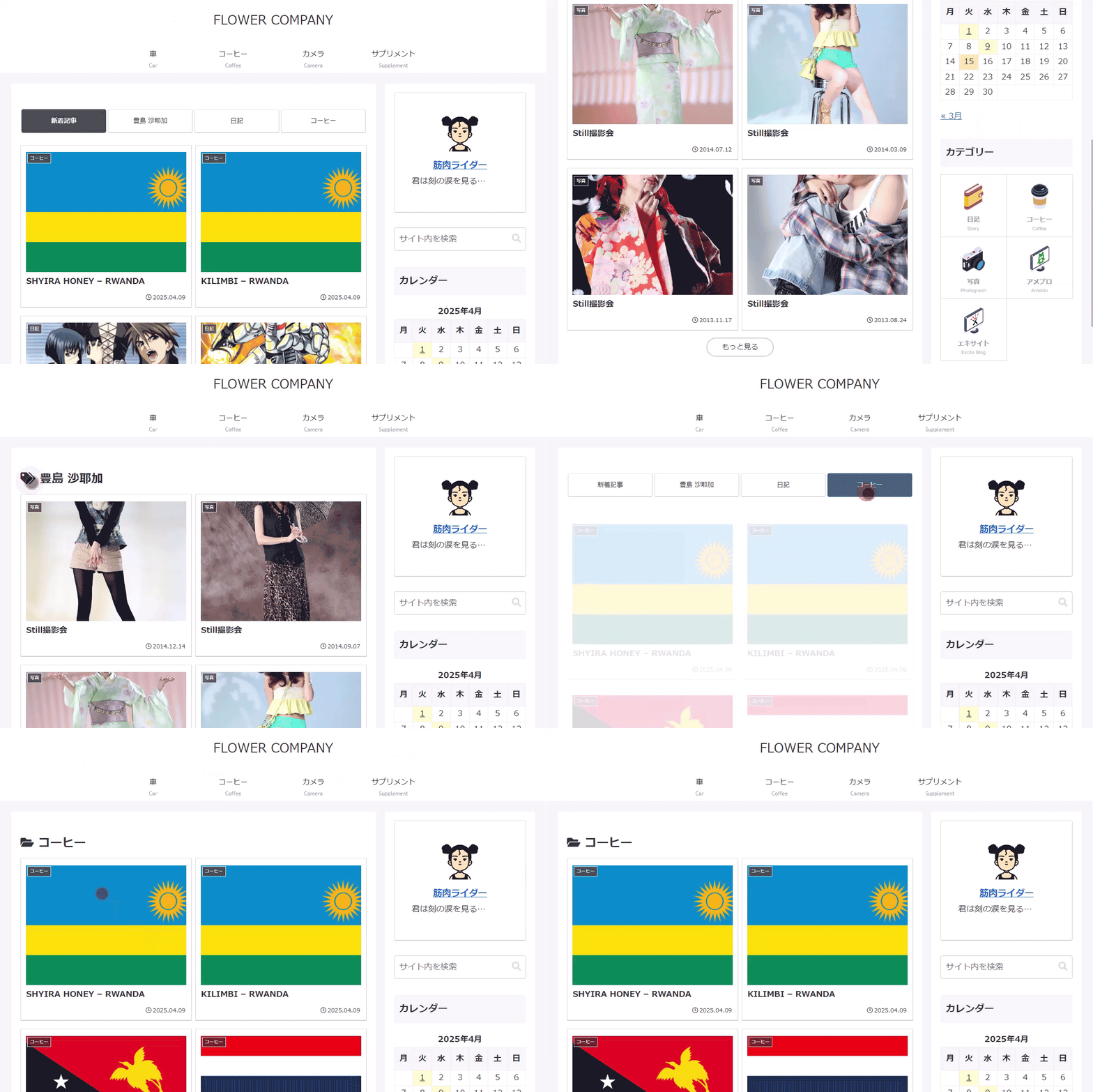
今回紹介した方法を使えば、例えばタブ一覧にタクソノミーだけを表示することも可能です。
ただし、フロントページタイプはあくまで簡易的な機能であり、過度なカスタマイズには向いていません。
カテゴリーにとらわれず、タブ一覧やカテゴリーごとに自由なページを作成したい場合は、固定ページを活用する方法がより柔軟でおすすめです。

